

Folders and inheritance
Folders group requests and can apply shared headers and auth to everything inside them.
Create a folder and share configuration
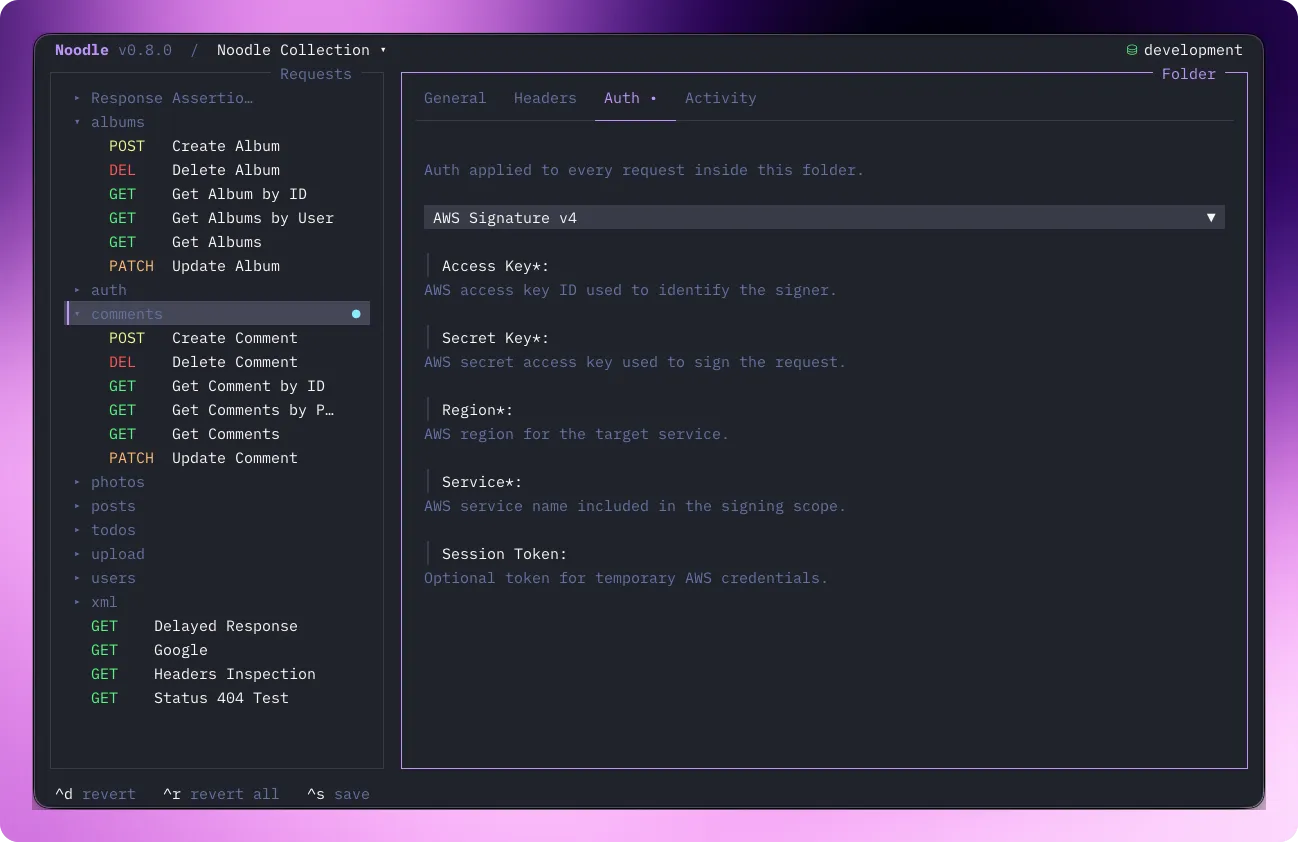
Section titled “Create a folder and share configuration”Open an initialized collection and press Ctrl+Alt+N to create a folder. Create requests inside it, or use Ctrl+E on an existing request to change its folder. Select the folder and edit its Headers or Auth tab, then save with Ctrl+S. Set a child’s auth to Inherit when it should use folder auth. Send that child request to verify the shared configuration.
Use the folder context menu to open the Collection Runner for that part of the collection.
Navigation
Section titled “Navigation”| Key | Action |
|---|---|
| ↑/↓ | Move between folders and requests |
| → | Expand folder |
| ← | Collapse folder |
| Space | Toggle folder open/closed |
| Return | Select request |
| Ctrl+F | Find any request or folder |
Folder Pane
Section titled “Folder Pane”Select a folder to see its main tabs. Navigate with ←/→; the + menu reveals empty script and test tabs, while populated tabs remain visible:
| Tab | Content |
|---|---|
| General | Folder name and sort order |
| Headers | Headers inherited by child requests |
| Auth | Auth inherited by child requests |
| Activity | Per-request stats table |
| Pre Script | Inline or external preparation script inherited by child requests |
| Post Script | Inline or external response script inherited by child requests |
| Tests | Inline or external response tests inherited by child requests |
Keybindings
Section titled “Keybindings”| Key | Action |
|---|---|
| ←/→ | Switch visible tabs |
| ↑/↓ | Navigate fields |
| Return | Enter edit mode |
| Space | Toggle checkbox |
| Escape | Exit folder pane, return to sidebar |
| Ctrl+S | Save folder changes |
| Ctrl+W | Delete folder (with confirmation) |
Inheritance
Section titled “Inheritance”Headers and auth set on a folder apply to all requests inside it: no need to repeat config on every request.
Set auth: { type: inherit } on a request to use the nearest parent
folder’s auth. Set auth: { type: none } to disable auth for a
specific request.
Folder scripts and tests run once for each applicable request. Save changes with Ctrl+S. See Scripting for the editors and inherited execution order.
Activity Tab
Section titled “Activity Tab”Stats are computed from the request timeline:
| Column | Description |
|---|---|
| Method | HTTP method |
| Name | Request name |
| OK% | Success rate: green ≥90%, yellow ≥50%, red below |
| Avg | Average response time |
| Last | Number of calls + time since last send |
Only requests with timeline entries show data.
Creating and Deleting
Section titled “Creating and Deleting”| Action | Keybinding |
|---|---|
| New folder | Ctrl+Alt+N |
| Delete folder | Ctrl+W: prompts for confirmation |