

Settings
Settings separates global preferences from configuration that belongs to the current collection.
Open Settings
Section titled “Open Settings”Press F4 from any Noodle workspace to open Settings. Alternatively, press Ctrl+P, search for Open Settings, and press Enter. Settings opens on the global Appearance section; use the scope switcher to reach settings for the active collection.
The command palette also lists every application and collection Settings category, so searches such as Keyboard, Proxy, or Certificates open that category directly.
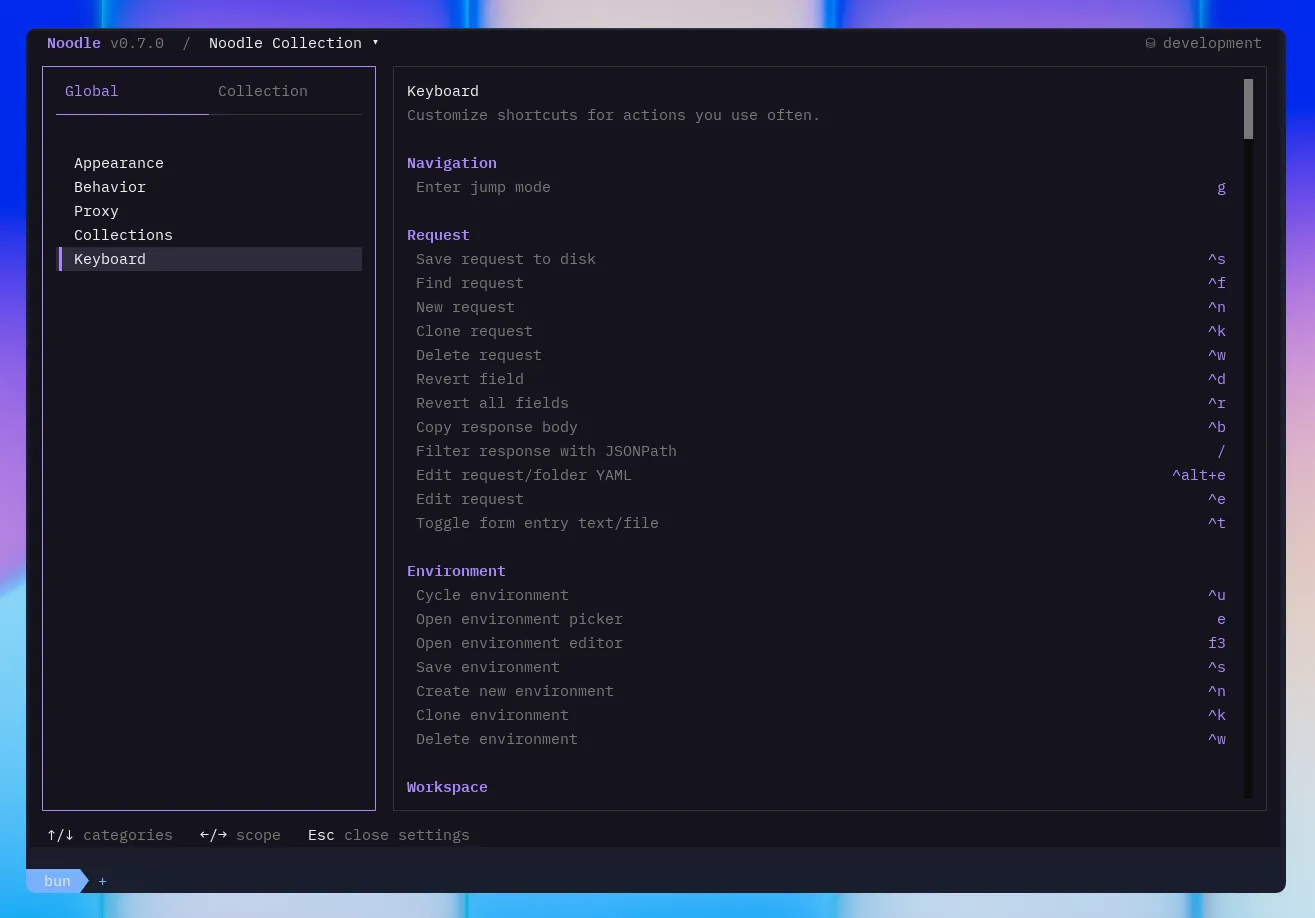
Global settings
Section titled “Global settings”Global settings apply wherever you use Noodle. They are stored in
~/.config/noodle/config.yml.
Appearance
Section titled “Appearance”Choose a theme and the default stacked or side-by-side layout. See Themes for the available themes.
Behavior
Section titled “Behavior”Choose whether undo-all asks for confirmation and select a detected external editor. The command palette uses that editor for Open Collection in Editor and Open Settings in Editor, plus Open Script in External Editor for a validated external JavaScript file. Noodle detects Zed, Visual Studio Code, Sublime Text, Cursor, Windsurf, and VSCodium when installed.
Enable Format on save to format inline scripts, tests, and JSON bodies through their normal saves. It defaults off. Collection script drafts save when you leave the editor; external files, XML, and invalid source remain unchanged. See Formatting.
Collections
Section titled “Collections”Manage registered collection directories and their order. Noodle opens the first valid registered collection when no collection path is supplied, and the collection switcher updates this list as you work.
Keyboard shortcuts
Section titled “Keyboard shortcuts”Customize supported shortcuts from the Keyboard section. Fixed navigation and editing keys cannot be reassigned. See Keybindings for every available binding ID and default.
Proxy policy
Section titled “Proxy policy”See Proxies and TLS for setup, supported fields, and connection checks.
Collection settings
Section titled “Collection settings”Collection settings apply only to the active collection and are saved in its
settings.yml file.
General
Section titled “General”Set a display name and description for the collection. You can also set
timeline_max_entries, which retains 50 responses per request by default.
Lowering the value removes older entries; set it to 0 to disable response
history for the collection.
The Cookie jar toggle is enabled by default. When enabled, Noodle captures
Set-Cookie headers and sends matching cookies on later requests. Turning it
off prevents both sending and capturing jar cookies for the collection. Use the
request pane’s Send Cookies control when only one request should omit
outgoing jar cookies. See Cookies to inspect and manage the jar.
Scripts
Section titled “Scripts”Edit Collection Pre Script, Collection Post Script, and Collection Tests
as inline JavaScript or external .js references. Drafts save when you leave
the editor or change phases. These blocks run for every applicable request.
See Scripting
for completion, diagnostics, and execution order.
Collection proxy
Section titled “Collection proxy”See Proxies and TLS for setup, supported fields, and connection checks.
TLS and mutual TLS
Section titled “TLS and mutual TLS”See Proxies and TLS for setup, supported fields, and connection checks.
Proxy precedence
Section titled “Proxy precedence”See Proxies and TLS for setup, supported fields, and connection checks.
File references
Section titled “File references”The Settings workspace edits the same files you can manage directly:
- Configuration documents global
config.yml. - Collection YAML
documents collection
settings.yml.
The command palette’s Open Settings in Editor action opens the application settings directory in the selected external editor.