

Cookies
Noodle keeps one cookie jar per collection. With the jar enabled, responses
populate it from Set-Cookie headers and later requests send matching cookies.
Open an initialized collection before following these steps.
Inspect and manage the jar
Section titled “Inspect and manage the jar”- Press Ctrl+P, search for Cookies, and open the cookie jar.
- Select a domain, then a cookie. Press Return to expand its details.
- Press Ctrl+E to edit the selected cookie or Ctrl+N to add one.
- Press Ctrl+D to delete the selected cookie, or Ctrl+W to delete the selected domain’s cookies. Ctrl+Alt+W clears the jar after confirmation.
Use / to filter the list. Escape clears a filter or closes the view. Cookie changes feed subsequent requests through the same collection jar. See cookie shortcuts for the full list.
Inspect sent and received cookies
Section titled “Inspect sent and received cookies”The Cookies tab separates sent and received cookie rows. Press Return or click a row to expand its value and attributes. Received rows show path, domain, expiry, Secure, HttpOnly, and SameSite metadata when present; expired response cookies are marked as deleted.
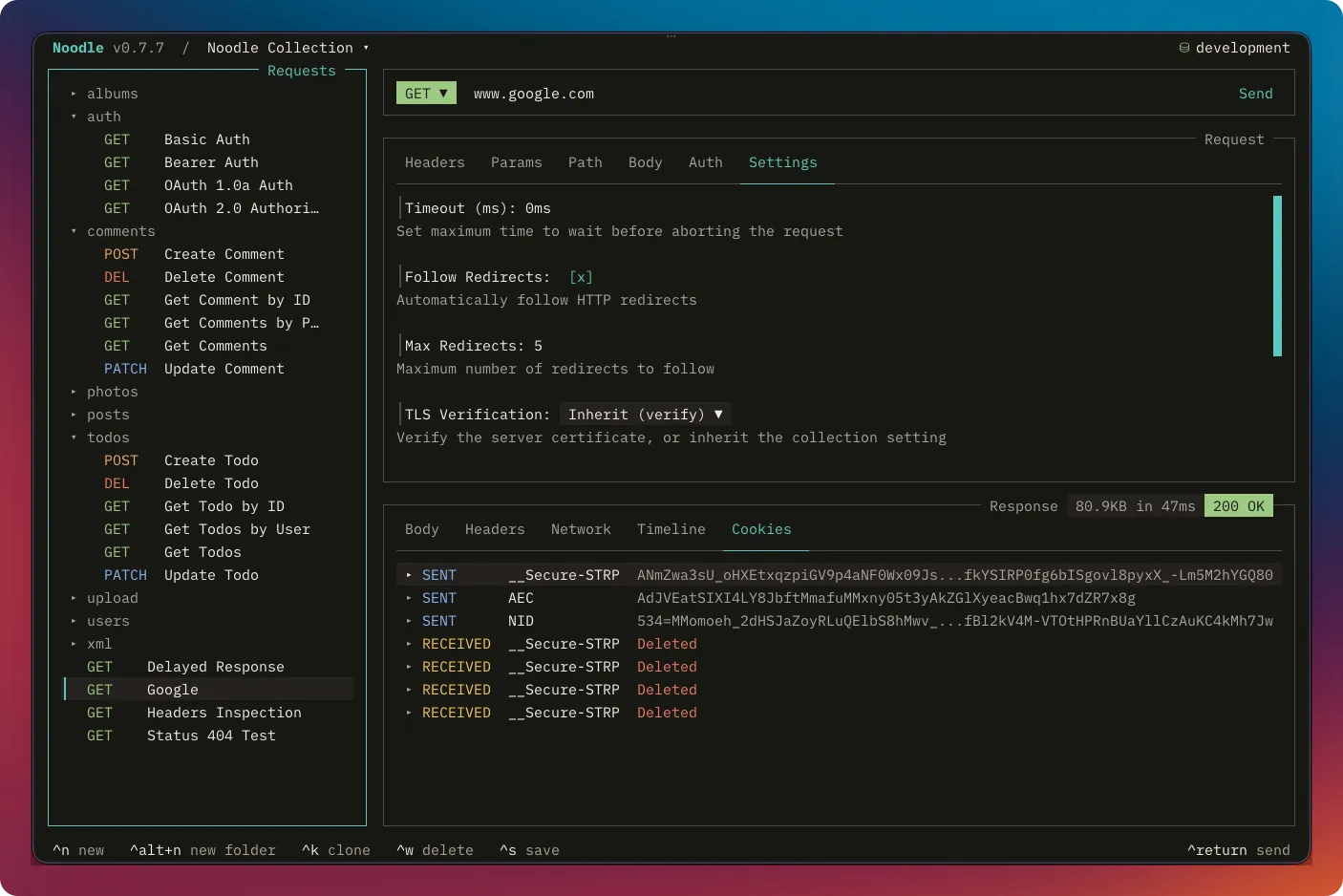
The tab shows the final request leg and final response. Noodle still captures
Set-Cookie headers from intermediate redirects and NTLM handshake responses
into the collection jar.
Control outgoing cookies
Section titled “Control outgoing cookies”Cookie domain, path, expiry, and secure-origin rules decide which cookies apply
to a request. A literal request Cookie header wins for duplicate cookie names.
| Control | What it changes |
|---|---|
| F4 → Collection → General → Cookie jar, off | Disable both jar sending and capture for this collection |
| Request Settings → Send Cookies, off | Suppress outgoing jar cookies for that request; still capture response cookies |
Request YAML sendCookies: false |
The same per-request setting; also removes the post-script cookie capability |
Use the CLI
Section titled “Use the CLI”noodle cookie list --collection ./my-apinoodle cookie clear --collection ./my-apiBoth accept --json. Listing includes cookie values; avoid sending that output
to shared logs. Clearing removes every cookie from this collection’s jar.
Storage and unavailable jars
Section titled “Storage and unavailable jars”Jars use OS-vault-backed encryption under ~/.config/noodle/cookies/. If the
vault is unavailable, Noodle can use a mode-0600 plaintext fallback and displays
a persistent warning. Other storage failures can make the jar unavailable;
request runs can continue without jar cookies and report the warning.
After fixing storage, open the jar and press r to retry. Use Troubleshooting before resetting unavailable storage. For URL-scoped script operations, see Script API: cookies.