

Proxies and TLS
Use this guide when an API needs a corporate proxy, a private certificate authority, or mutual TLS. Open the collection and have the proxy address or PEM certificate files from your API administrator ready.
Configure a proxy
Section titled “Configure a proxy”Press F4, choose the global scope, and open Proxy. Set the mode and required fields, then save. To use a different policy for one API, choose the collection scope and its Proxy section instead.
Proxy policy
Section titled “Proxy policy”Choose one of these global modes:
| Mode | Behavior |
|---|---|
| System | Use HTTP_PROXY, HTTPS_PROXY, and NO_PROXY from the environment. This is the default. |
| Off | Send requests directly. |
| Custom | Send requests through one configured HTTP or HTTPS proxy. |
For a custom proxy, set a credential-free URL such as
http://proxy.example:8080. Enable Proxy authentication to enter a username
and optional password. Noodle stores both in the OS credential vault; the config
file keeps only the URL and auth: true. URLs containing credentials or
$VARNAME placeholders are rejected.
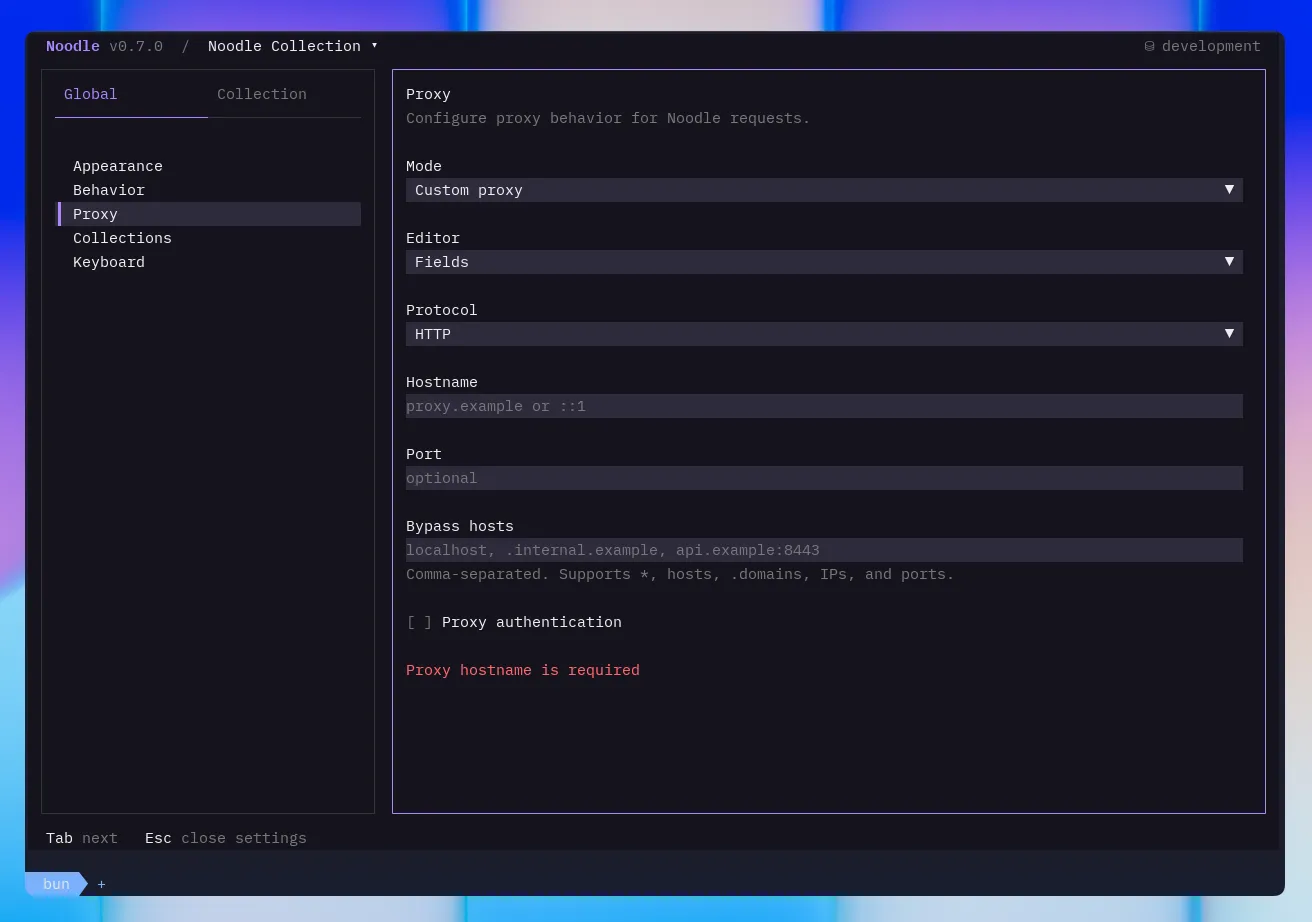
The optional bypass list accepts comma-separated *, host names, .domain
suffixes, IP addresses, and optional ports. Matching requests are sent directly.
Collection proxy
Section titled “Collection proxy”Choose one of these modes for the collection:
| Mode | Behavior |
|---|---|
| Inherit | Follow the global proxy policy. This is the default. |
| Off | Send this collection’s requests directly. |
| Custom | Use a collection-specific HTTP or HTTPS proxy and bypass list. |
Collection settings are useful when one API needs a corporate proxy while your other collections use the system setting or direct connections.
Proxy precedence
Section titled “Proxy precedence”Noodle resolves proxy policy in this order:
--noproxyforces direct connections for one invocation.- A collection
offorcustompolicy overrides the global policy. - A global
offorcustompolicy applies when the collection inherits. - Otherwise, Noodle uses the system proxy environment variables.
Use --noproxy with the TUI, noodle collection run, or noodle request run
when you need to bypass every saved proxy setting temporarily.
settings.yml is strict. Malformed YAML, unknown keys, wrong field types, and
invalid proxy or TLS blocks stop collection opening, auditing, and execution
until corrected; a missing or empty file still uses defaults.
TLS and mutual TLS
Section titled “TLS and mutual TLS”Collection TLS settings can keep certificate verification enabled or disabled, replace the default roots with a custom PEM CA bundle, and select PEM client certificates by exact host and port. Relative paths resolve from the collection root. A custom CA bundle replaces the default roots, so include every root the collection needs.
For an encrypted private key, enter the passphrase in Settings. Noodle stores it
in the OS credential vault and writes only a generated secret_id to
settings.yml. Request files may override only tls.verify; --insecure
disables verification for one TUI or automation invocation. PFX/PKCS#12 files
are not supported; convert them to a PEM certificate chain and private key.
Trust a private certificate authority
Section titled “Trust a private certificate authority”- Press F4 and select the collection’s Certificates section.
- Keep certificate verification enabled.
- Set the CA bundle path to the PEM bundle for your API and save.
- Send the request and inspect the response Network tab if it fails.
Present a client certificate
Section titled “Present a client certificate”In the same section, add a client certificate entry for the API’s exact host and port. Supply a PEM certificate chain and private-key path. Set the key passphrase there if required, then save. The certificate is selected for the matching destination; it is not attached to every request in the collection.
One-invocation overrides
Section titled “One-invocation overrides”noodle ./my-api --noproxynoodle request run health --collection ./my-api --noproxy--noproxy forces a direct connection. --insecure disables TLS verification
for one invocation; it is not a substitute for configuring the correct CA bundle.
Both flags also work with collection run.
Verify the connection
Section titled “Verify the connection”Send one request before running a whole collection. A response confirms that the connection completed; use its status and body to check API behavior. If there is no response, inspect Network and follow connection troubleshooting.
See Global configuration and collection settings YAML for exact file fields.