

Inspect and save responses
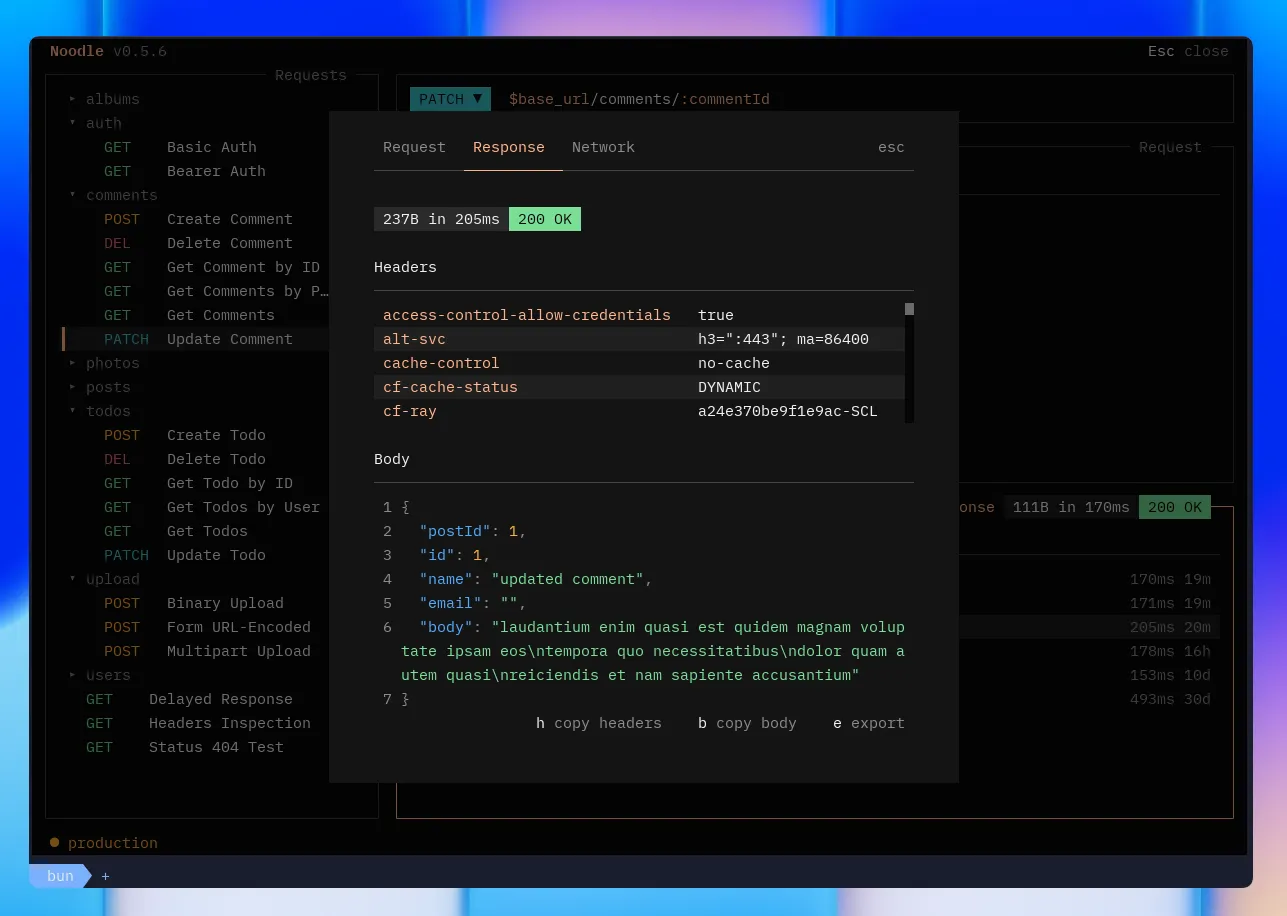
The response pane shows results after sending a request: status code, response time, headers, and body (auto-formatted if JSON).
Inspect the latest response
Section titled “Inspect the latest response”Send a request with Ctrl+Return, then focus the response pane. Read its status and timing, select Body or Headers, and use Network when the connection or authentication needs investigation. Results explains failed checks; Console shows script and test logs when available. For a live binary response, use Save file as described below.
Navigation
Section titled “Navigation”| Key | Action |
|---|---|
| ←/→ | Switch visible tabs (including Console when logs exist) |
| ↑/↓ | Scroll active tab |
| PgUp/PgDn | Page scroll |
| F2 | Expand response pane to full width |
| Tab | Content |
|---|---|
| Body | Source/Visual text views, supported image previews, or binary file metadata |
| Headers | Response headers sorted alphabetically |
| Network | Live request, authentication, redirect, response, and failure events |
| Timeline | History of every send for this request |
| Cookies | Cookies sent on the final request leg and received in the final response |
| Results | Script, capture, assertion, and test outcomes from the latest manual send |
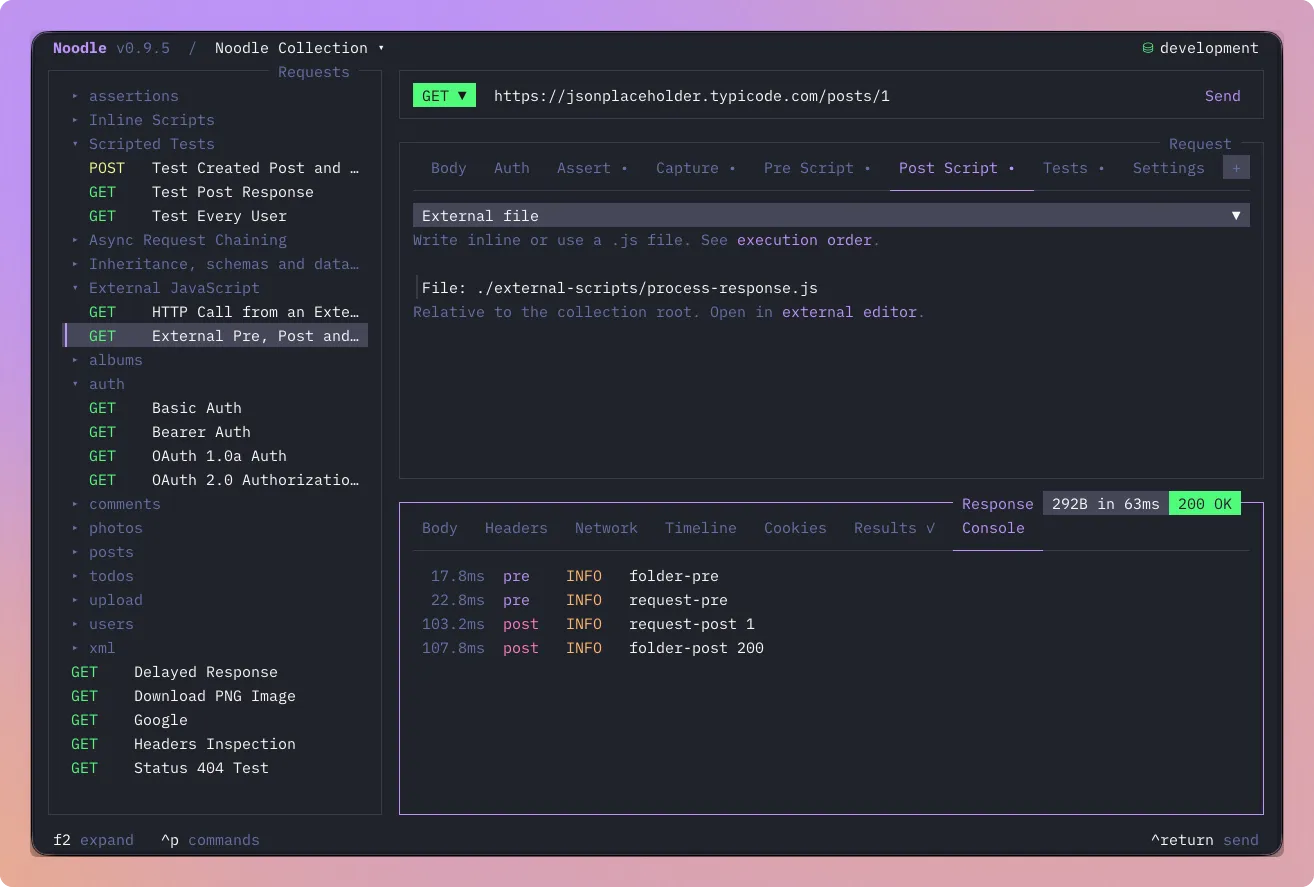
| Console | Bounded, redacted script and test logs, when available |
The Network tab updates while a request is sending. OAuth 2 token acquisition, refresh, and browser authorization status appear as authentication events without exposing token values. Events are retained in timeline entries, so you can inspect the trace again after the response is complete.
Results
Section titled “Results”The Results tab is always available. Manual
sends run pre, HTTP, captures, post, assertions, then tests with a fresh RunScope.
Post runs for completed responses even after HTTP/capture failure; assertions
still run after post failure. When outcomes exist, the tab shows ✓ for
success, ✗ for a failed script, assertion, capture, or test, or – when an earlier
failure prevented evaluation.
Use ↑/↓ to select a result and Return or a click to expand its details. Pre-request/Post-response rows show status, duration, log count, normalized errors, and persistence outcomes. Read the redacted log messages in Console. Captures show their type and redacted value; secret-persisted captures and captures from sensitive response headers never reveal the value. Script source, capture results, and RunScope values stay out of timeline history. Bounded script diagnostics and logs, persistence outcomes, and assertion outcomes are stored with known secrets redacted. A successful request snapshot reflects script mutations to the prepared request.
See Scripting to add a script and understand its execution and trust boundaries.
Console
Section titled “Console”Console appears when the current result has script or test logs, including failed sends that produced logs. Each row shows timing relative to request execution, the phase, level, and message. Use ↑/↓, PgUp/PgDn, Home, or End to scroll. g then z jumps to the visible Console tab; with Console focused, choose Copy Console from Ctrl+P.
Runner request details and timeline details use the same log view. Existing
history keeps bounded, redacted logs; older entries without timing display
?ms. Console does not create a separate log history. Inspect Results for
outcomes and source origins.
Images and binary responses
Section titled “Images and binary responses”The live Body tab preserves received bytes and previews PNG, JPEG, static WebP, and the first GIF frame using the terminal’s supported image protocol. Images above 5 MiB require explicit preview activation. Other formats or decoder failures show file metadata and a preview-unavailable message.
Choose Save file, or press Ctrl+Alt+S with the binary Body tab focused,
to open Save As. Noodle suggests a path in Downloads, creates missing
directories, and adds (1), (2), and later suffixes before the extension
when a filename is occupied. Saves never overwrite files. After saving,
Open in default app or Ctrl+Alt+O opens that response’s saved file.
Configure these shortcuts in F4 → Global → Keyboard or with
response_save_file and response_open_file in keybinds.yml.
Downloads contain original server data without diagnostic redaction. Binary timeline history and Runner details keep redacted metadata only, with no download, preview, or open action. History says “Binary body was not retained.” Text responses retain their Source and Visual views.
Source and Visual
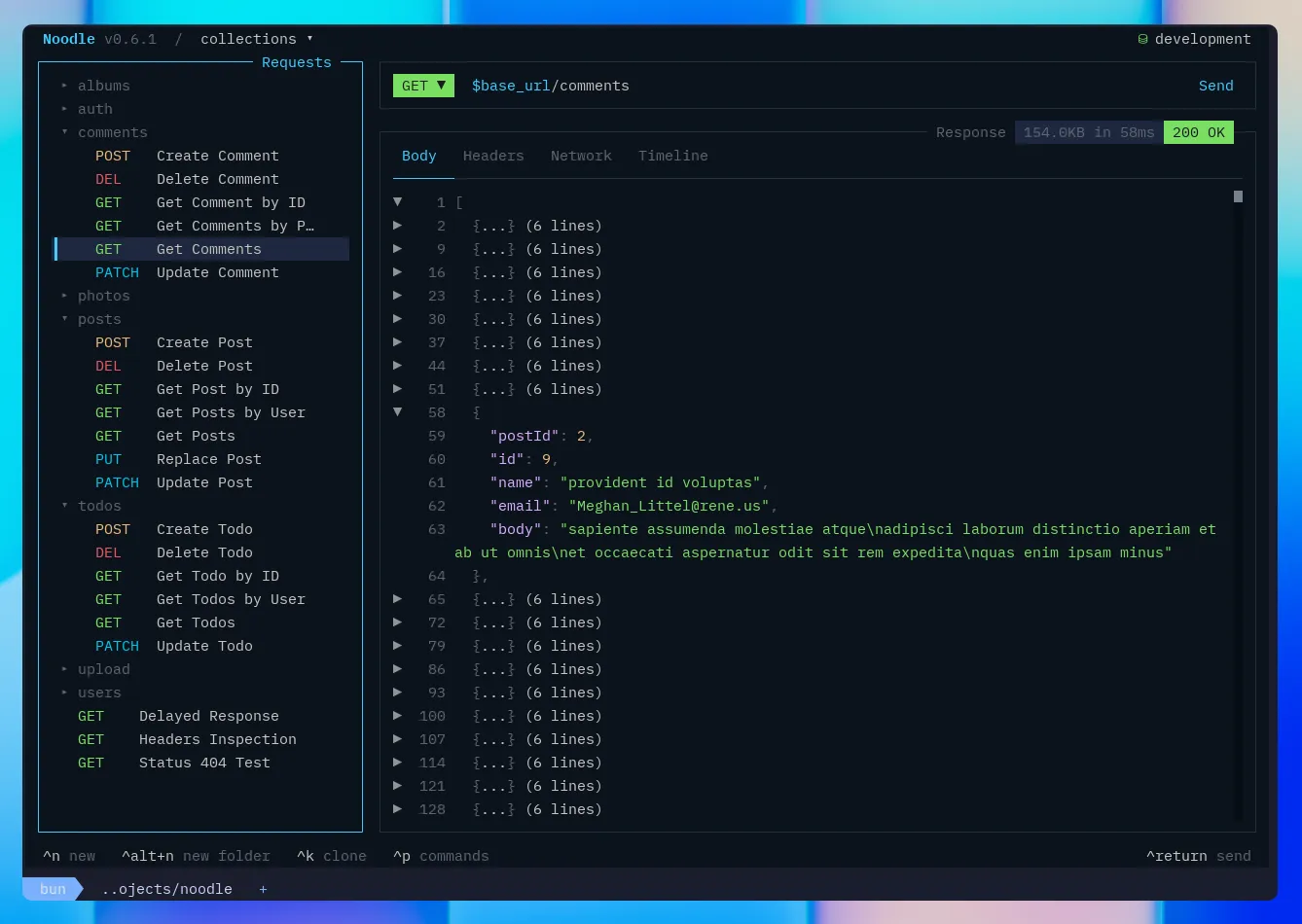
Section titled “Source and Visual”Focus the Body tab and press m, or click the footer action, to switch between Source and Visual. Visual supports JSON and XML, showing expandable rows, compact object previews, and tables where the data fits. Use ↑/↓ to select rows and Return, Space, or a click to expand.
Press / in Visual to search labels and values. Search is literal and case-insensitive, highlights matches, and keeps surrounding structure visible. Escape clears the filter. Copying from Visual returns the original body. Unsupported or malformed bodies show a message directing you back to Source. Bodies larger than 5 MiB require choosing view body before rendering.
Hide the main sidebar with Ctrl+B to give the response more room. g then s reopens and focuses it; Tab navigation skips it while hidden.
Folding JSON Responses in Source
Section titled “Folding JSON Responses in Source”Use Ctrl+G to toggle the JSON block at the cursor, or click a fold marker in the line-number gutter. Bulk fold and unfold actions are configurable in Settings under Shortcuts and are unbound by default. Folded rows keep their original source line numbers, and copying the response still uses the complete body.
Timeline
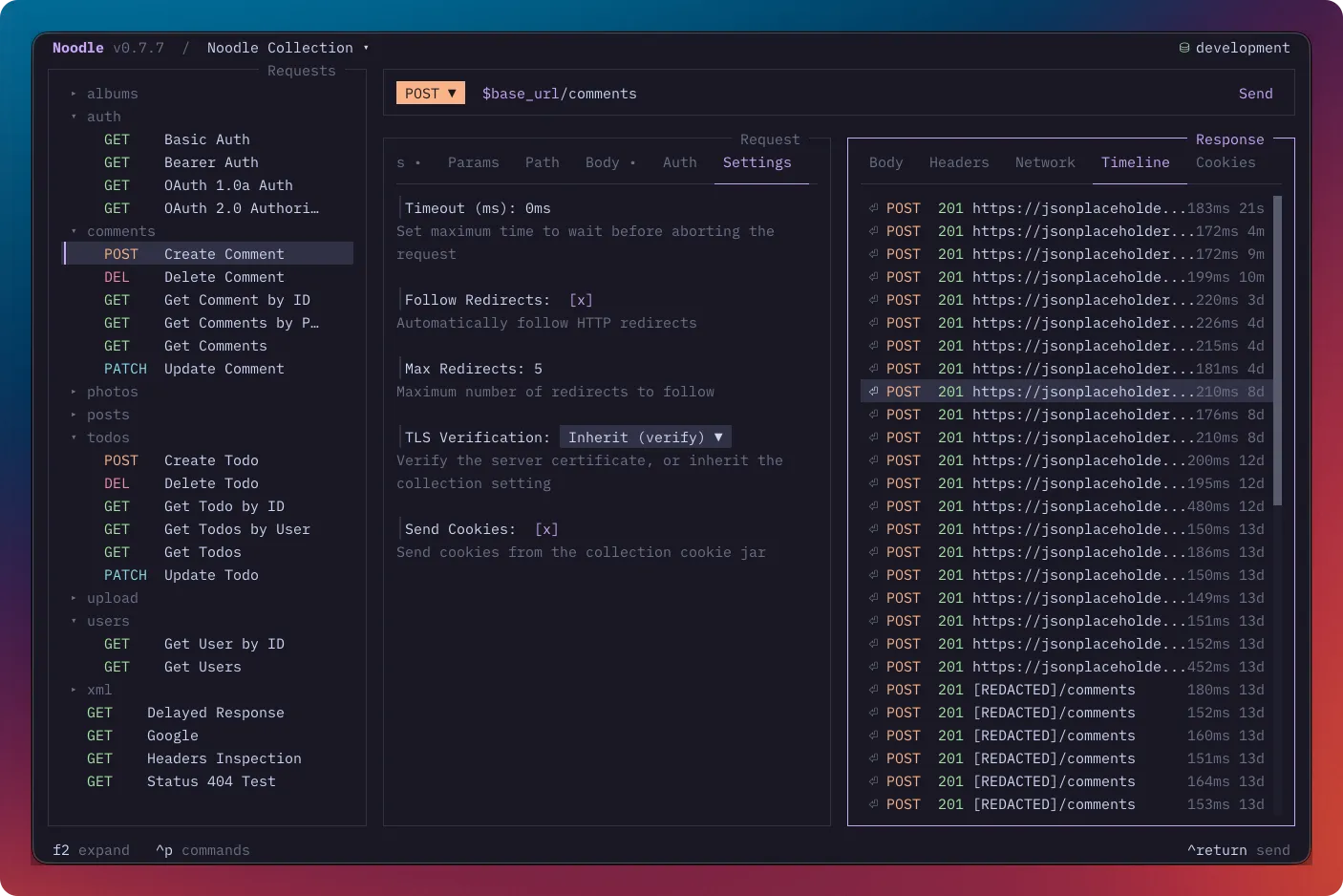
Section titled “Timeline”Manual sends create timeline entries, subject to collection retention settings. CLI automation and the TUI Runner do not create timeline history.
| Key | Action |
|---|---|
| ↑/↓ | Navigate entries |
| Return | Expand entry: shows full request and response snapshots |
Entries with errors show ERR in red. The default retention is 50 entries per
request; change it in Settings.
Inside a timeline detail view, you can copy request headers, copy the response body, or export the full entry as YAML to your downloads directory.
Large textual request and response bodies remain available in timeline details. Noodle stores bodies larger than 10 KB as compressed sidecars next to the timeline YAML, rather than truncating them.
Timeline request snapshots resolve ordinary $VAR references at send time and
redact declared secrets plus sensitive request headers, OAuth signatures,
assertions, tokens, and other auth credentials. Newly saved response headers
and bodies receive known-secret redaction too, including compressed sidecars;
sensitive headers such as Set-Cookie are masked. The live response remains
available for inspection. Marking or updating a secret does not rewrite older
history, and unknown server data stays visible, so treat timeline files as
sensitive local data.
Timeline details also show bounded Pre-request/Post-response diagnostics,
redacted logs, and persistence outcomes. Oversized diagnostic text uses
[TRUNCATED] markers; source and RunScope values remain excluded.
Cookies
Section titled “Cookies”Use the response Cookies tab to compare cookies sent on the final request leg with those received. Expand a row with Return. The Cookies guide covers jar management, sending rules, storage, and CLI commands.
Copy Body
Section titled “Copy Body”| Key | Action |
|---|---|
| Ctrl+Alt+B | Copy response body to clipboard (OSC52, works over SSH) |
Filter JSON with JSONPath
Section titled “Filter JSON with JSONPath”When the Body tab is focused in Source and contains valid JSON, press / to enter a JSONPath expression. Noodle replaces the displayed body with the matching values and reports invalid expressions inline.
Errors
Section titled “Errors”Errors display inline in the response pane for:
- Unreachable servers
- DNS failures
- Timeouts
- Malformed responses
Follow Troubleshooting for diagnostic steps. Use Response assertions to turn an expected response into a repeatable check.