

Your first request
You will create a collection named my-api, save a GET request, and inspect
its response. Install Noodle first.
This example calls the public httpbin service and needs internet access.
Create and open a collection
Section titled “Create and open a collection”In a directory where you keep API work, run:
noodle collection create my-apinoodle ./my-apiThe first command creates my-api, a starter example.yml, a development
environment, and collection settings. It also registers the collection.
The second command opens that exact directory in the TUI.
If my-api already exists, open it with noodle ./my-api. If it opens in
read-only browse or empty mode, press Ctrl+P and choose
Initialize Collection before creating or sending requests.
Bare noodle opens the first existing registered collection, or the current
directory when none is available. It does not always open an empty workspace.
Create a GET request
Section titled “Create a GET request”-
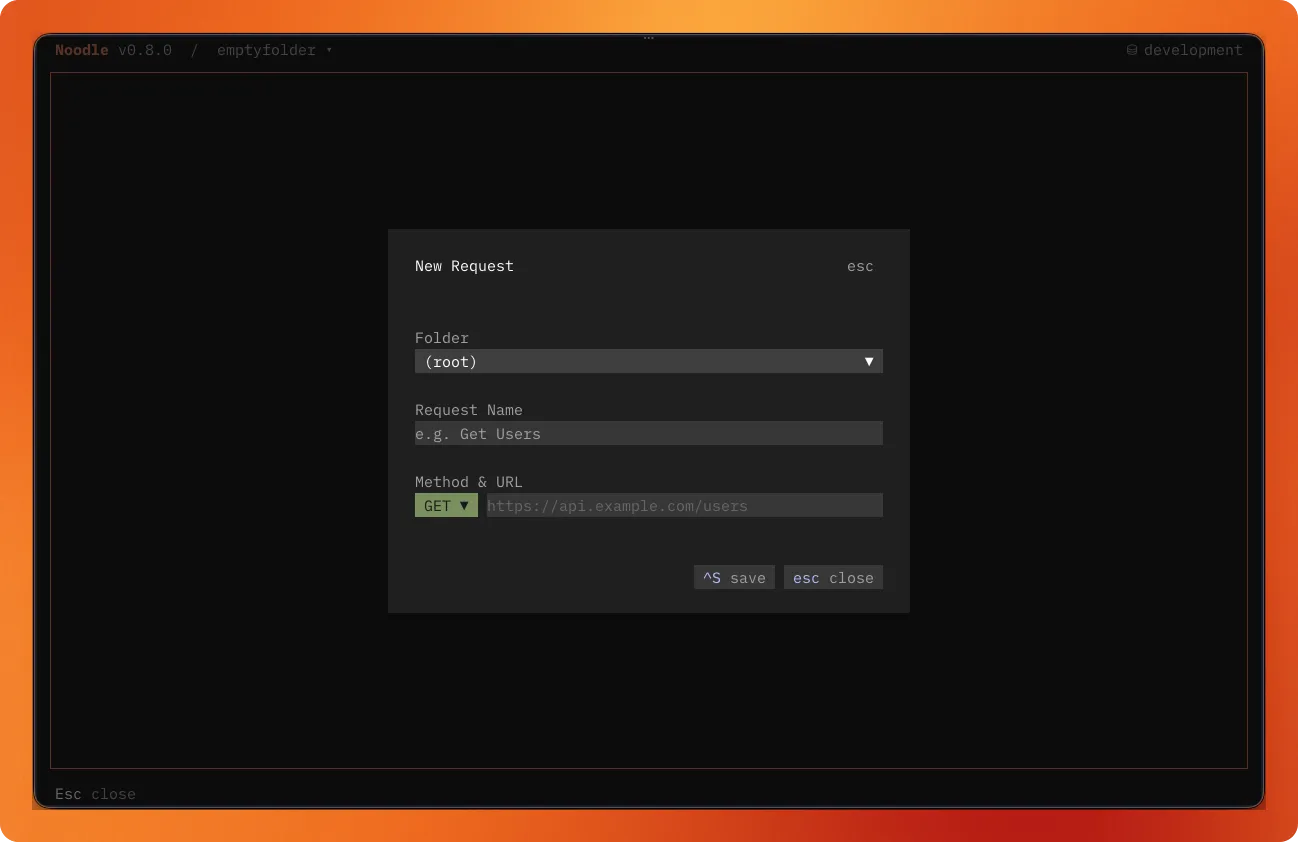
Press Ctrl+N to open New Request.
-
Keep the request at the collection root and enter these values:
Field Value Request Name Example RequestMethod GETURL https://httpbin.org/get -
Press Ctrl+S to save.
Send and inspect
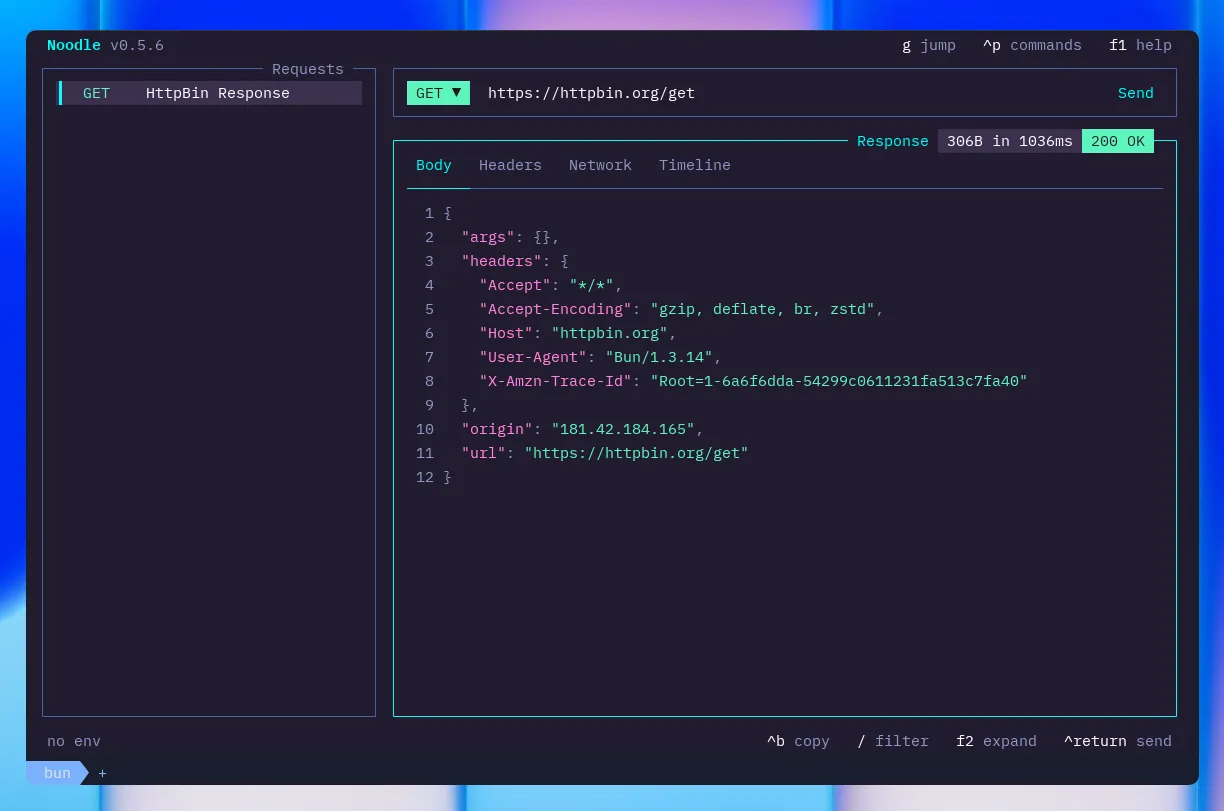
Section titled “Send and inspect”Press Ctrl+Return or click Send. A successful call shows status 200,
response headers, timing, and a JSON body in the response pane.
Focus the response pane and select Headers to inspect headers, or Body to read the returned JSON. Press F1 for keyboard help at any time. If the request fails, use the Network tab and Troubleshooting.
What just happened?
Section titled “What just happened?”Your request is saved at ./my-api/example-request.yml. Its request ID is
example-request, the path relative to the collection without .yml.
You can edit the file directly or keep using the TUI.
To send the same saved request from the CLI:
noodle request run example-request --collection ./my-apiNext Steps
Section titled “Next Steps”- Learn layout and navigation to move between panes.
- Add environments and secrets to reuse URLs and credentials.
- Configure authentication for a protected API.