

Response assertions
Assertions declare what a successful response should contain. They run on manual sends, in the Collection Runner, and from the CLI using the same saved request.
Add a check in the TUI
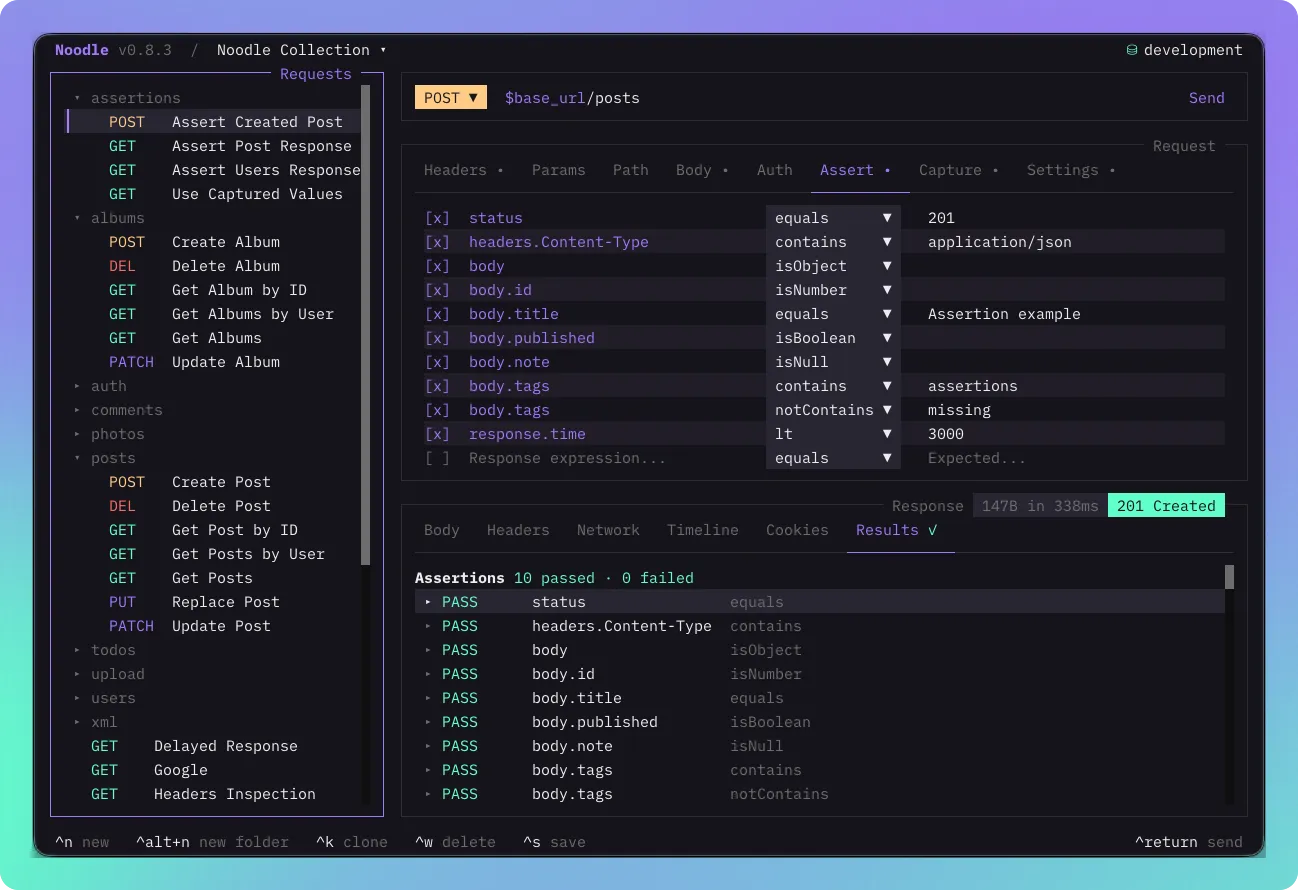
Section titled “Add a check in the TUI”- Open a saved request and select the Assert tab. If hidden, reveal it from the + menu at the right of the request tabs.
- Add an expression
status, operatorequals, and numeric expected value200. - Save with Ctrl+S, then send with Ctrl+Return.
- Open Response → Results and expand the assertion to inspect its outcome.
Use Space to disable a row without deleting it. Disabled assertions are validated but do not run or contribute to result counts.
Save checks with a request
Section titled “Save checks with a request”This request calls the public httpbin service and expects JSON with a URL field:
name: Check responsemethod: GETurl: https://httpbin.org/getassert: - expression: status operator: equals value: 200 - expression: headers.Content-Type operator: contains value: application/json - expression: body.url operator: isStringSave it as check-response.yml in your collection. Run it with Ctrl+Return,
include it in the Collection Runner, or use:
noodle request run check-response --collection ./my-apiChoose an expression and operator
Section titled “Choose an expression and operator”| Check | Expression | Example operator and value |
|---|---|---|
| HTTP status | status |
equals, 200 |
| Header value | headers.Content-Type |
contains, application/json |
| JSON field | body.user.id |
isNumber, no value |
| JSON array member | body.users[0].name |
isString, no value |
| Duration in milliseconds | response.time |
lt, 1000 |
Header names are case-insensitive. Body paths require valid JSON and are not
JSONPath queries. Equality compares typed values: 200 and "200" differ.
Expected string values support $VARIABLE substitution, including inside
objects and arrays. Missing fields differ from explicit JSON null.
The assertion reference lists every operator and the restrictions on regular expressions.
Read failures
Section titled “Read failures”A failed assertion makes an automated request fail. HTTP status 400 or higher
also fails automation, even when an assertion expecting that status passes.
Assertions still run after capture or post-script failures when a response
exists; pre-script and transport failures leave them unevaluated.
Known secrets are masked in expected and actual values. Other server data can remain visible. Inspect the failing row in Results before changing the check. Use scripted tests for conditional logic, loops, or related JSON values, and CLI automation and CI to gate a build on these results.