I built Noodle to send API requests from the terminal and keep them beside the code in Git. At launch, a collection was a directory and a request was a YAML file. Today those same files can take you from trying an endpoint for the first time to checking it on every pull request. Why I built Noodle
Noodle 1.0 marks that milestone. It carries forward the behavior of 0.11.0, so the collections you already use work the same way.
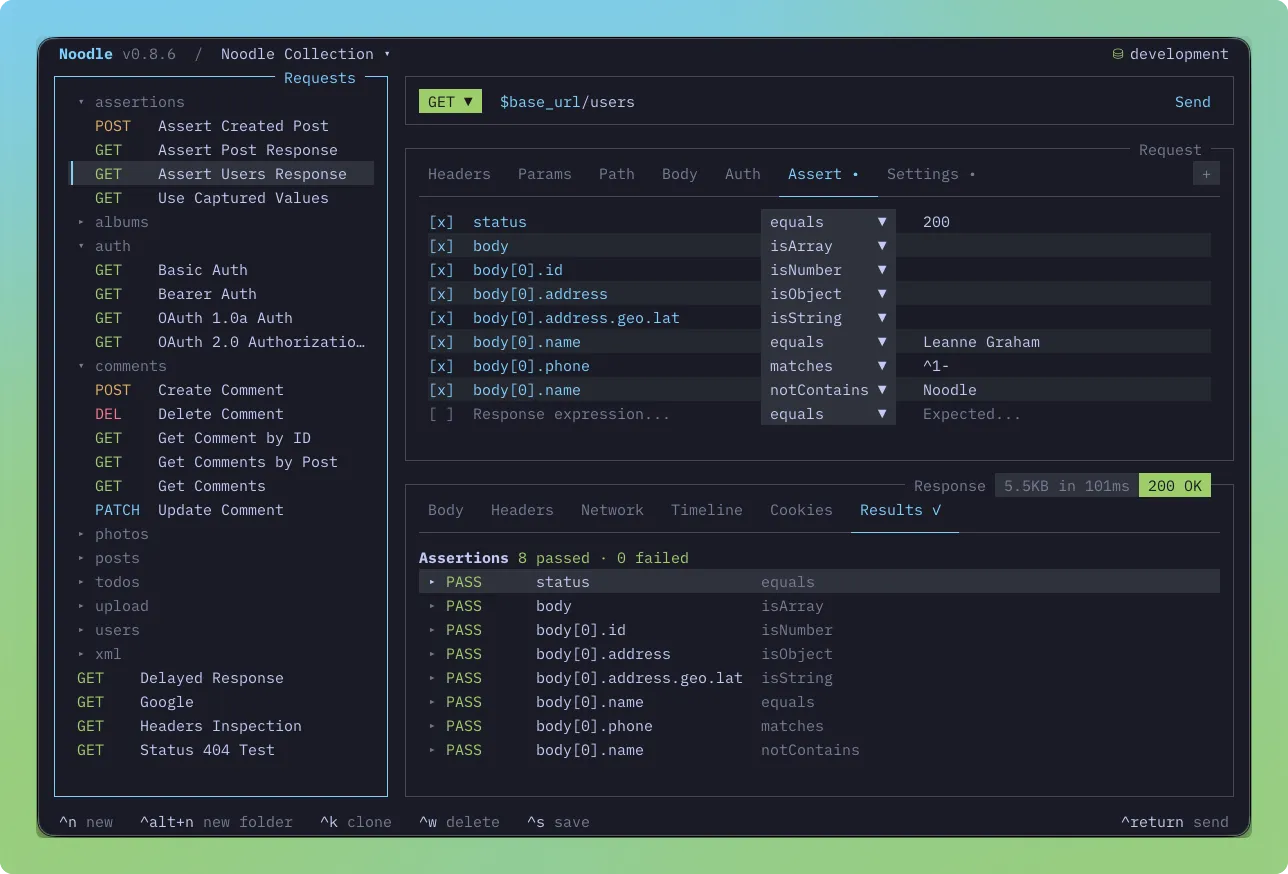
The screenshots in this post come from releases on the way to 1.0.
A workspace made of files
A collection can live in the repository with the API it exercises. A teammate can review a header change in a Git diff, run the same request locally, and use it in CI. Noodle is open source and opens local collections without an account.
- Collections and folders. Organize requests as readable YAML, share headers and authentication through folders, and switch between registered collections from the terminal.
- Request editing. Edit the method, URL, path and query parameters, headers, JSON and XML bodies, URL-encoded and multipart forms, and file uploads. The editors offer syntax highlighting, folding, variable completion, and formatting where supported. Open the request YAML directly when you want to edit the file.
- Terminal navigation. Use the keyboard or mouse to move between panes and tabs. Find requests with fuzzy search, use the command palette, and arrange the panes side by side or stacked. Pick a theme, follow your terminal palette, or customize your shortcuts.
See the collections guide, request editor, and keybinding reference.
Environments, authentication, and connections
The same request can point at a local service today and staging tomorrow. Use variables for the base URL and other values that change between environments.
- Environments and secrets. Switch environments in the TUI or select one with the CLI. Keep ordinary values in environment files and store secrets in the operating system’s credential vault.
- Authentication. Use bearer tokens, Basic auth, API keys, OAuth 1.0a, OAuth 2.0, NTLMv2, and AWS Signature Version 4. OAuth 2.0 supports OpenID Connect discovery, PKCE, token refresh, and interactive browser authorization in the TUI where applicable.
- Proxies, TLS, and cookies. Use the system proxy or configure a proxy, bypass rules, and collection overrides. Trust a private certificate authority or present a client certificate for mutual TLS. Inspect, edit, or clear a collection’s cookie jar.
See the environment guide, authentication guide, and proxy and TLS settings.
Read the response in the terminal
When a response comes back, I want to see whether the API returned what I expected and how it got there. The response pane puts the payload, network details, and earlier exchanges within reach.
- Response views. Read the body in Source, fold JSON, filter it with JSONPath, or explore JSON and XML with the searchable Visual view.
- Request and response details. Inspect headers, cookies, timing, and the network trace, including redirects. Preview supported images and save binary responses to disk.
- Timeline. Reopen earlier manual sends and their results. Noodle redacts known secrets when saving new history.

See the response pane guide and timeline reference.
Turn a request into a check
Suppose you create an order, then fetch it by ID. Capture the ID from the first response, use it in the second request, and check the response status and body. The workflow and its expectations live with the request files.
- Assertions and captures. Check status, elapsed time, headers, and JSON fields without writing JavaScript. Pass captured IDs or other values to later requests in the same run. A manual send can also save a capture to an environment or secret.
- Pre-request and post-response scripts. Use sandboxed JavaScript to prepare a request, process a response, or call another saved request. Keep scripts inline or in collection-relative JavaScript files. Add shared scripts at the collection and folder levels, and request-specific logic right beside the request.
- Scripted tests. Write synchronous or async tests with
testandexpect, including JSON Schema draft-07 validation. Author scripts and tests in the TUI with completion and diagnostics, then use Results for outcomes and Console for logs. - Generated test data. Put
$randomand$timeplaceholders in supported bodies and text form values. Scripts also have helpers for seeded random values, date arithmetic, and cryptography.
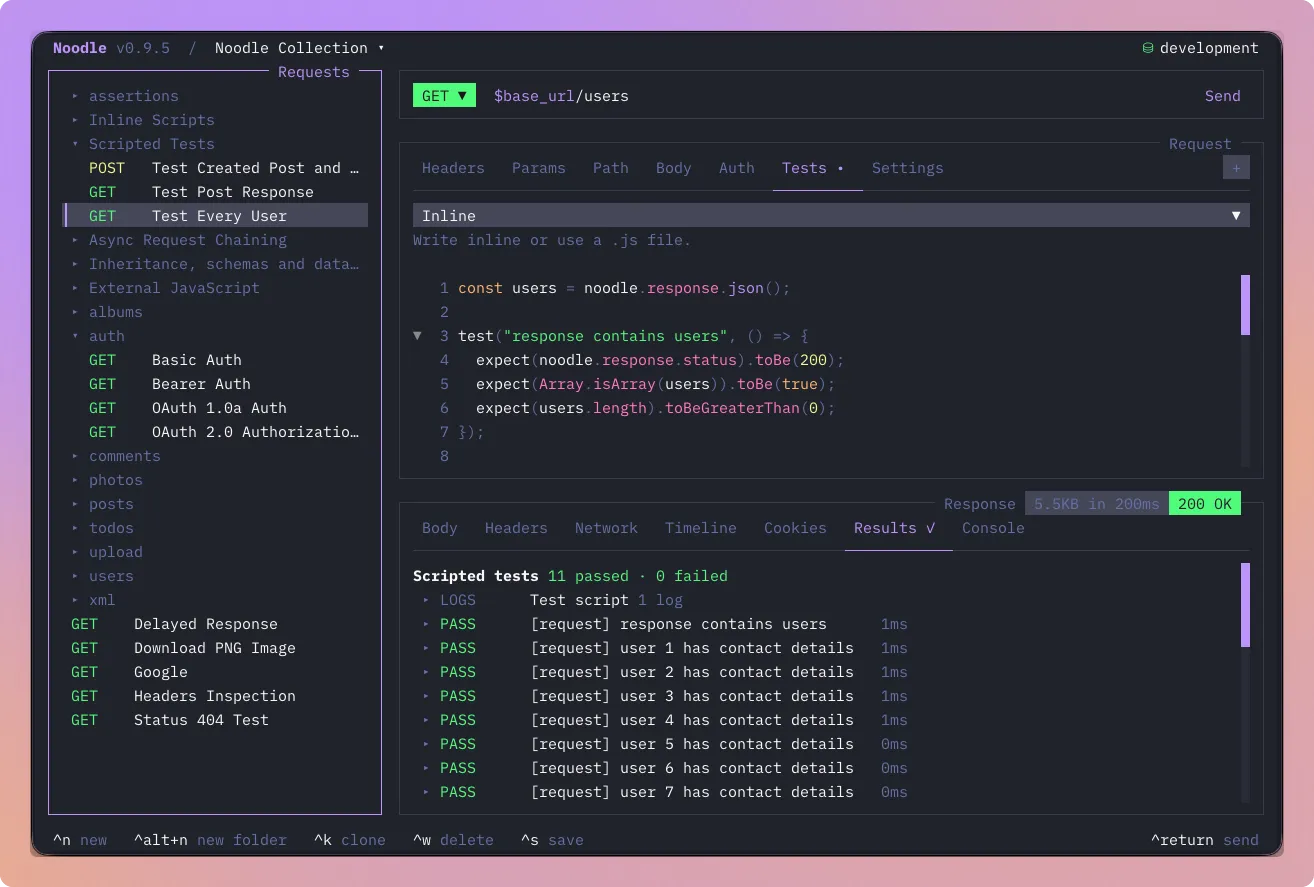
See assertions, captures, scripting, and scripted tests.
Your first smoke check
In a new directory, run noodle collection create api. Replace the generated api/example.yml with the YAML below. It calls httpbin and checks for HTTP 200 and a string url field in the response. Example response
name: Check responsemethod: GETurl: https://httpbin.org/gettags: - smokeassert: - expression: status operator: equals value: 200 - expression: body.url operator: isStringRun noodle ./api, select Check response, and press Ctrl+Return. Open the Results tab to see both assertions. The smoke tag lets you select this request in the Runner or in CI.
Run the collection locally or in CI
The collection runner was the goal I set for 1.0. The requests, checks, and scripts you use in the terminal can now run together from the same collection. The early roadmap
- Select what runs. Run the whole collection, select requests or folders, or include and exclude requests by tag. Preview the order with
--dry-runwithout sending HTTP. - Repeat the workflow. Run once per CSV or JSON row, with optional setup and teardown requests around each row. Set a delay between requests or stop after the first failure with fail-fast.
- Follow results as they come in. In the TUI Runner, read completed Results and Console while later requests run. Leave the view and return to it during the app session. Stop a run in the TUI or CLI and keep the results that already finished.
- Run unattended. The CLI can create, inspect, audit, and format collections, then run a single request or a suite. Failed checks exit nonzero. Use structured JSON in scripts and save JSON or JUnit XML reports for collection runs.
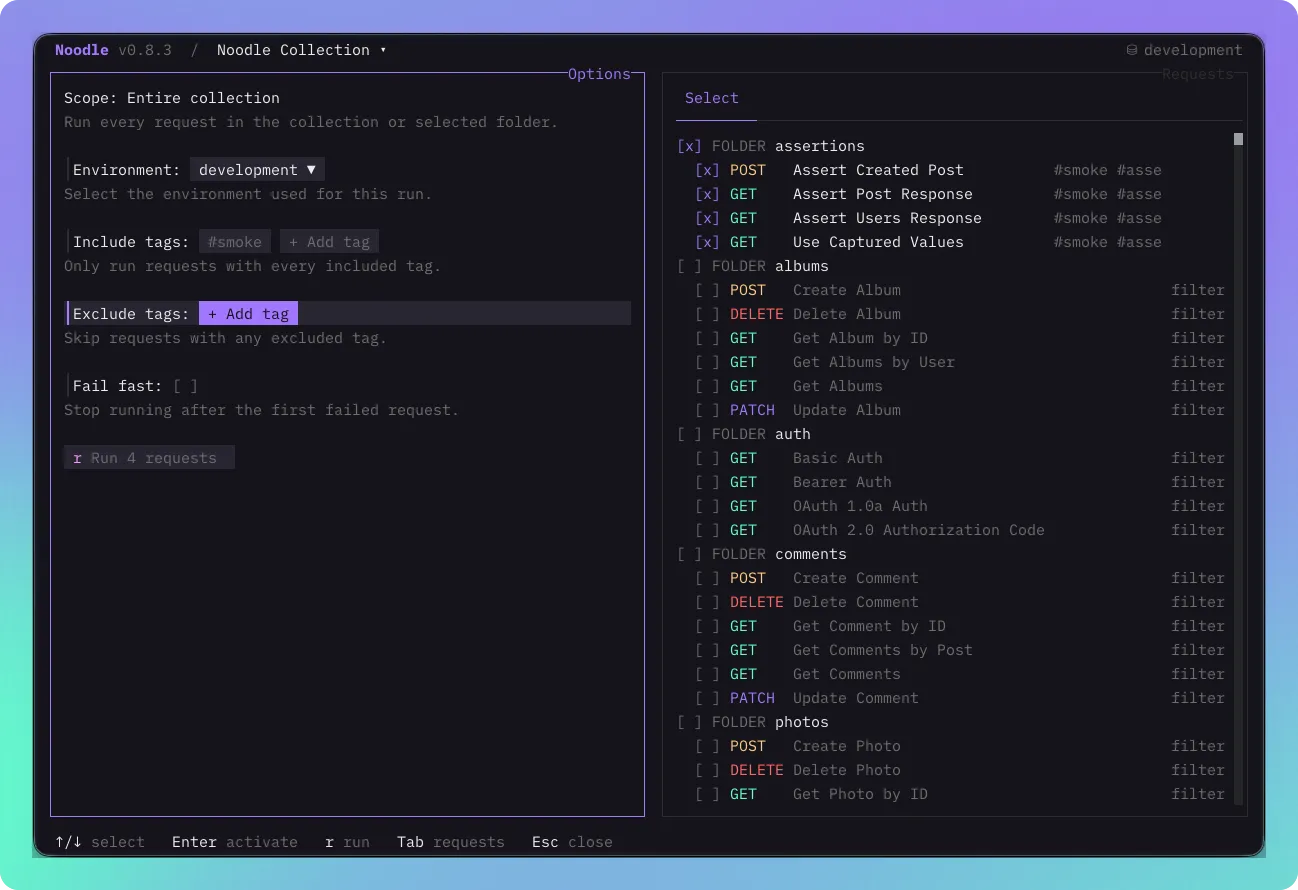
These commands preview the smoke suite and then run it with a JUnit report.
noodle collection run ./api --tag smoke --dry-runnoodle collection run ./api --tag smoke --reporter junit --output results.xmlSee the Runner guide.
Install Noodle in GitHub Actions
noodle-rest/setup-noodle@v1 downloads the requested CLI release, verifies its SHA-256 checksum, and adds it to the runner’s PATH. The action version is @v1. The version input pins the CLI to v1.0.0.
This workflow runs the same smoke suite from a collection committed at ./api on pushes to main or on demand. A failed check fails the job, and the upload step still saves the JUnit report if it exists.
name: API checkson:  push:    branches: [main]  workflow_dispatch:
permissions:  contents: read
jobs:  api-checks:    runs-on: ubuntu-latest    steps:      - uses: actions/checkout@v6      - uses: noodle-rest/setup-noodle@v1        with:          version: v1.0.0      - name: Run API checks        run: noodle collection run ./api --tag smoke --reporter junit --output results.xml      - name: Upload API report        if: ${{ always() && hashFiles('results.xml') != '' }}        uses: actions/upload-artifact@v7        with:          name: api-results          path: results.xml
See Setup Noodle on GitHub and the workflow example with a GitHub Actions secret.
Bring your requests with you
You can start with one cURL command or an existing API description. Both become ordinary requests you can edit and run.
- Import. Bring in individual cURL commands or full collections from OpenAPI 3.0 and 3.1, Swagger 2.0, Postman, and Insomnia. Postman and Insomnia imports can retain compatible JavaScript in a new collection. Review the import warnings for scripts and fields that need attention.
- Export and generate code. Export collections to OpenAPI 3.0.3 or Postman. Generate a snippet for a single request in cURL, JavaScript, Python, Go, and other languages.
- Work with a coding agent. Run
noodle agent installto give supported agents the Noodle skill. It documents how to create, validate, import, and run the same YAML collections you use in the TUI.
See the import guide, export guide, and agent skill guide.
Install or upgrade
Install Noodle from Homebrew core on macOS or Linux.
brew install noodleHomebrew updates the formula on its own schedule. If it still shows an earlier version, you can download the 1.0.0 binary directly. Homebrew formula · GitHub release
The installation guide also covers standalone installs and Windows x64 beta. Installation guide · Quick start
If you already use Noodle, run noodle update for a standalone install or brew upgrade noodle once the Homebrew formula carries 1.0. After a Homebrew upgrade, run noodle agent install if you use the managed skill. Check the installed version with noodle --version. Updating Noodle
If you tried an early release, reported a bug, contributed a fix, or shared Noodle with someone, thank you. I’d like to hear how 1.0 works with your API. You can leave feedback on GitHub.