When I released Noodle 0.1.0, I was trying to solve one problem: keep API requests as YAML files on disk, but make them nicer to work with than a pile of curl commands. Noodle is now at 0.5.0, and that original idea still holds up.
What changed after launch was everything around sending a request. Finding the right file, editing it without making a mess, switching projects, and getting a useful answer back all needed more attention. This is the update I wish I could have shared on day one.
Finding your way around
The first thing that started to bother me was navigation. Once there were more actions and more collections, remembering where everything lived was not much fun.
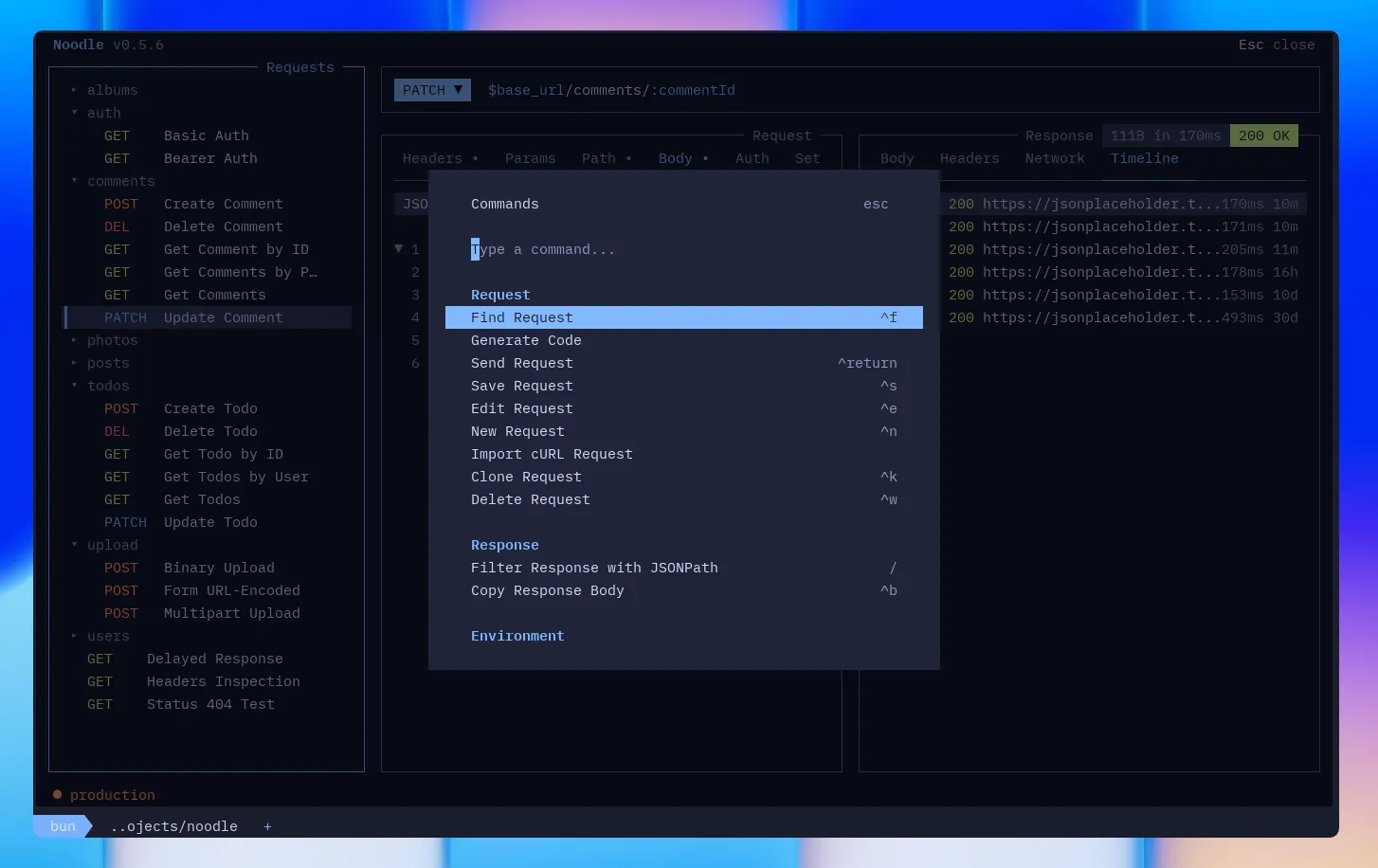
Noodle now has a command palette for the things you use most, from creating and editing requests to switching environments and opening help. Press Ctrl+P to open it. I use it when I know what I want to do but cannot remember the shortcut, or simply do not feel like reaching for it.
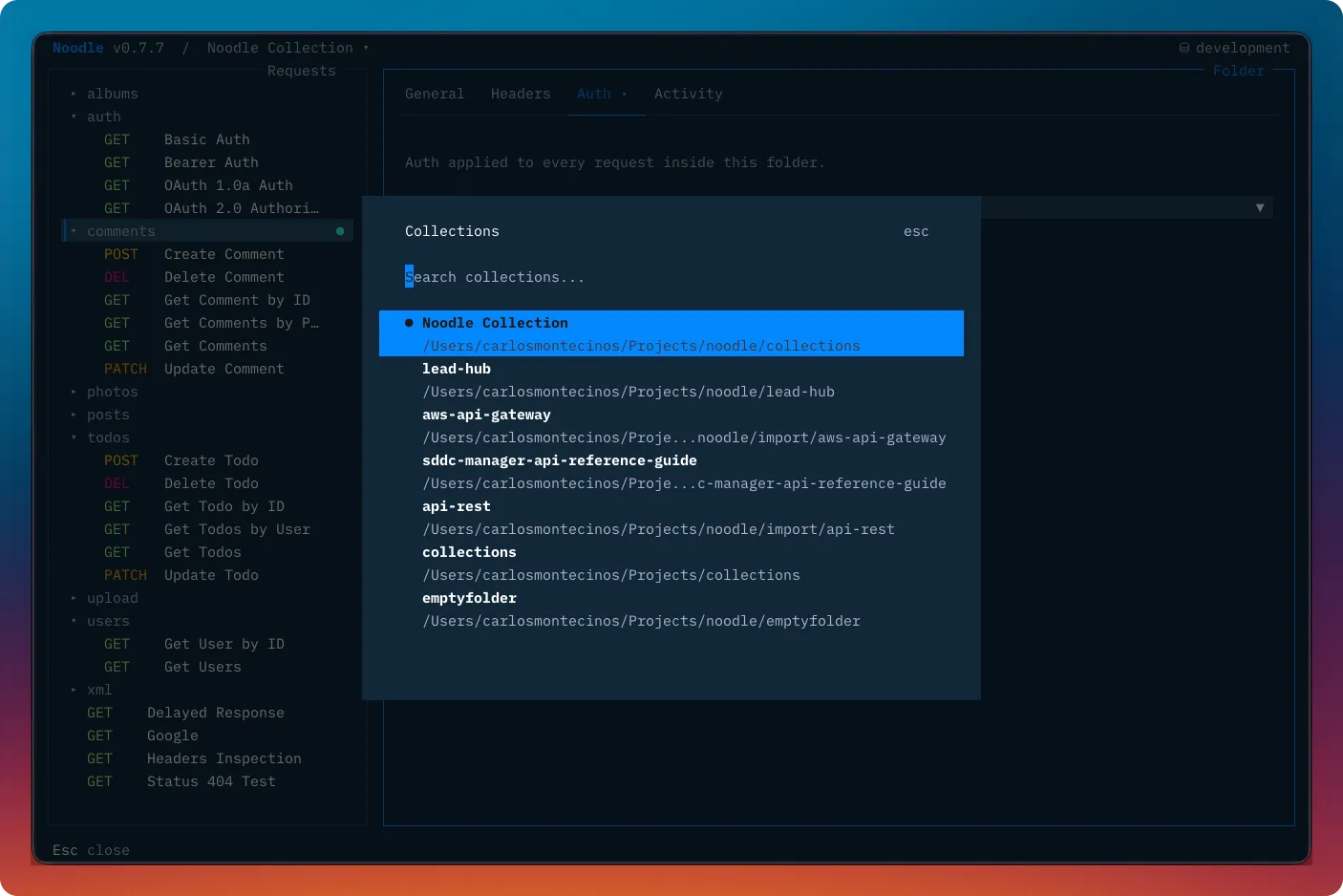
Collections are remembered too, so moving between projects no longer means typing the same paths again. Press Ctrl+O to open the collection switcher and jump to a recent collection. That has made a noticeable difference when I am moving between an API I am building and another service I need to inspect.
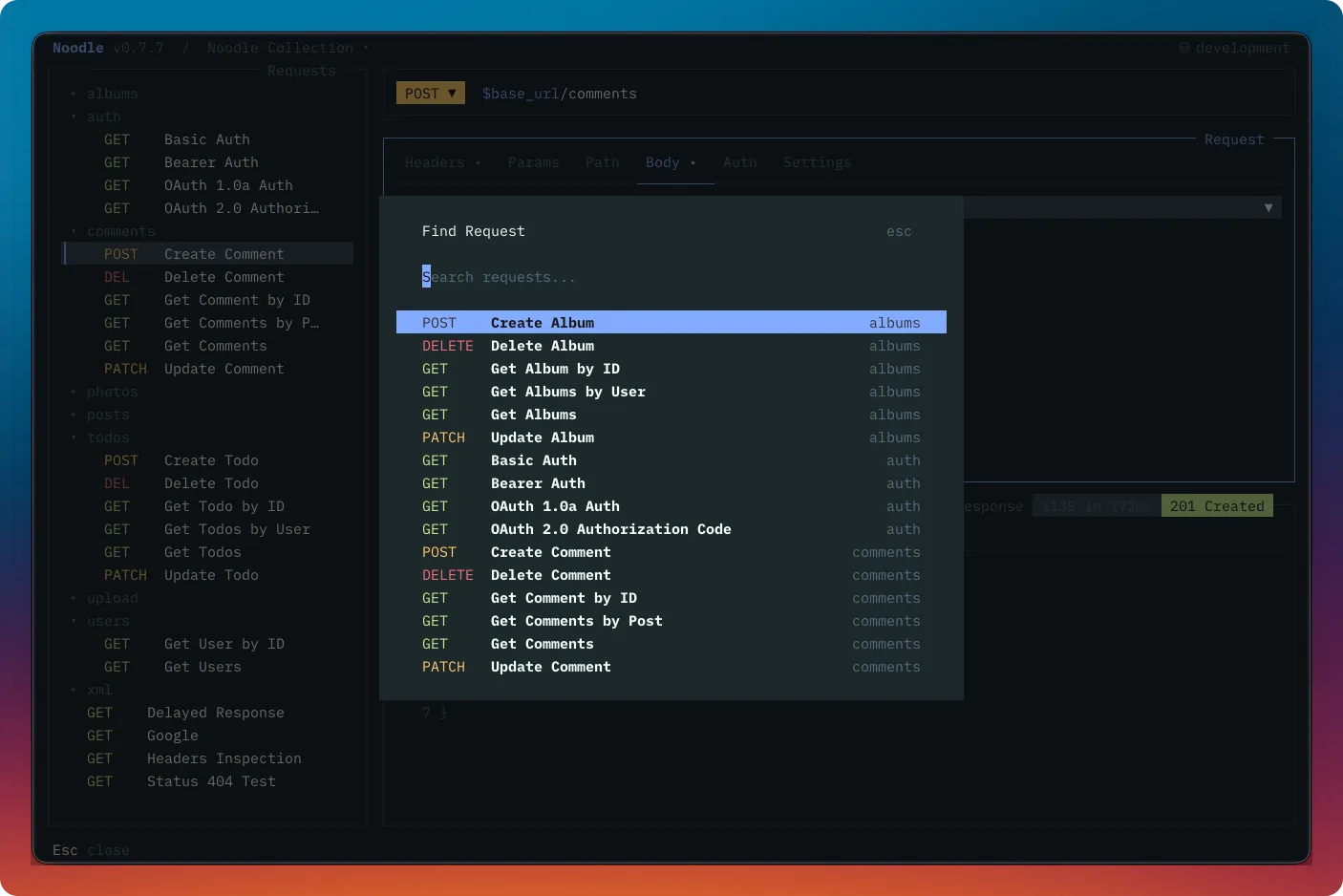
And once a collection gets bigger, finding the right request matters. Press Ctrl+F to open the request finder. It searches fuzzily across the collection and can match URLs after environment variables have been resolved, which helps when the endpoint is easier to remember than the file name.
Editing without losing flow
YAML is still the source of truth in Noodle. I want requests to stay readable, portable, and easy to keep in version control. That does not mean editing plain text has to feel bare-bones.
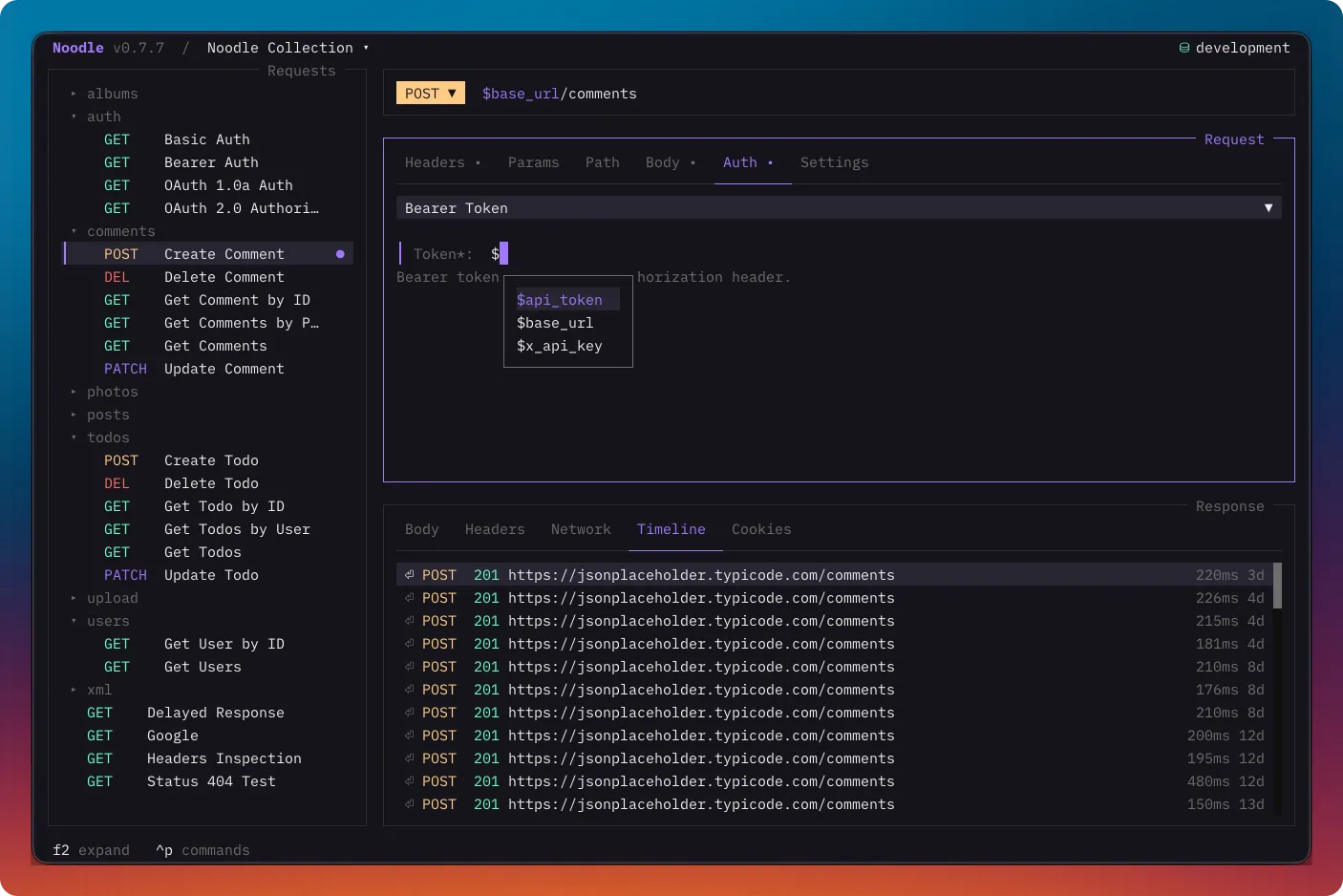
The editor now understands YAML and JSON, with syntax highlighting, folding, and validation before a request is saved. Environment variables are highlighted consistently, and typing $ brings up completion in request fields, the JSON body editor, and the YAML editor. That is a small thing until a collection has several base URLs, tokens, and IDs to type over and over.
I am not trying to turn Noodle into a full IDE. I just wanted editing a request to feel less like fighting a text box, without losing the file-based workflow that made Noodle useful in the first place.
Moving requests in and out
Real API work rarely starts with a perfectly organized collection. More often, it starts with a curl command copied from documentation, a browser, or a teammate’s message.
Noodle can now import cURL commands into new requests, carrying over the practical parts such as headers, authentication, query parameters, bodies, forms, file uploads, redirects, and timeouts. In the other direction, the command palette can generate code snippets for the selected request and, when needed, interpolate the active environment first. Options include cURL, JavaScript and Node.js, Python, Go, Java, C#, PHP, Ruby, Rust, and more.
Automation and agents
The terminal interface is where I spend most of my time, but I did not want the collection format to be trapped there. Noodle now includes a non-interactive CLI for creating, inspecting, auditing, and running workspaces, collections, requests, and environments. Commands can return a consistent JSON result too, so they are practical in scripts, CI, and small local automations.
For example, a collection can be checked before a change is merged or run as part of a repeatable API check, while the request files remain the same YAML files you use in the TUI. I wanted that bridge between hands-on exploration and work that needs to run without someone at the keyboard.
I also published the noodle-use skill for coding agents. It gives agents a documented way to create, organize, validate, import, convert, and automate Noodle collections. The point is simple: if an agent can help with the repetitive parts, it should work with a clear file format instead of inventing its own workspace.
Working through responses
Sending a request is only half the loop. The response pane now keeps a timeline of request activity, with detail views for going back to a previous exchange when I need to compare what changed.
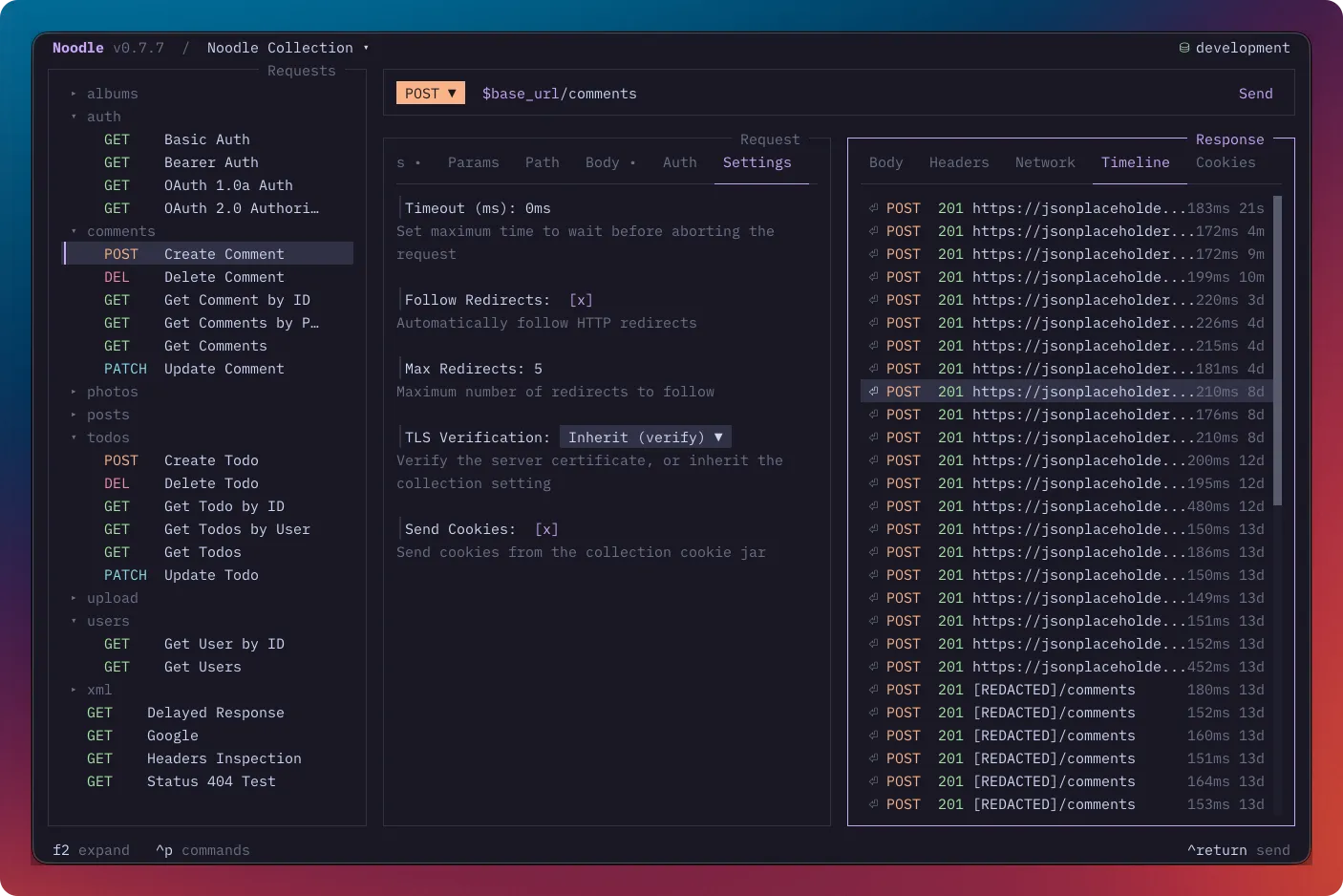
For JSON responses, you can filter the body with JSONPath right in Noodle. With the response pane focused, press / to start filtering. It is useful for quickly narrowing a large payload to the field or set of records you are investigating, without copying the response into another tool.
There have also been quieter improvements here: better handling for large response bodies, more reliable clipboard support, and keyboard behavior that stays inside the modal you are using. None of those are headline features, but they matter when you have been in the app for a while.
What is next on the road to v1
There is still a lot I want to add. My working roadmap is about covering more of the API workflow without losing the simplicity of files on disk. These are goals, not promises, and I expect feedback to change the order.
- v0.6.0: Export and import. Export collections to OpenAPI, Postman, and Insomnia formats, add Swagger and Insomnia import, and remember open tabs when switching folders.
- v0.7.0: Networking and auth. Add proxy support, SSL/TLS configuration, a cookie jar viewer, and OAuth 2.0.
- v0.8.0: Scripting. Support JavaScript before and after requests for the cases that need a little logic around an API call.
- v0.9.0: Testing. Add custom assertions for status, body, headers, and timing, plus request chaining for passing variables between requests.
- v1.0.0: Automation. Build on the automation CLI with a collection runner that can run requests in batch and show the results in a clear grid.
Still built around files
Noodle can do more than it could at launch, but the core idea is still the same. Your requests live as YAML files in your collection. You can inspect them, edit them, share them, and run them without putting your API work behind a proprietary workspace.
If you have an API you are working on, give Noodle a try with a real request or collection. The installation guide is a good place to start. I would love to hear what feels useful, what gets in your way, and what you would want to see next. Feedback and issues are always welcome on GitHub.