When I wrote about Noodle 0.5.6, I was focused on the short loop: change a request, send it, and understand the response without fighting the interface.
That loop still matters, but the questions around it have become larger. How do I bring an existing API collection into Noodle? How do I use a corporate proxy or a client certificate without leaking credentials into the repository? What happens when an API needs OAuth, NTLM, signed AWS requests, or a real cookie jar? And what if one broken YAML file prevents the collection from opening?
Most of the work from 0.5.6 to 0.7.6 came from answering those questions. Noodle is still a terminal REST client built around files, but it now handles much more of the work that surrounds a request.
Collections can move in both directions
The file-based model is only useful if it is easy to enter and leave.
Noodle can now import OpenAPI 3.0, Swagger 2.0, Postman, and Insomnia collections. It can export a collection as OpenAPI or as a Postman bundle, including redacted environment files. The same workflows are available from the CLI and the command palette, so moving a collection does not require leaving the terminal UI.
There is also a collection formatter for bringing existing request files back to canonical YAML and readable JSON. It preserves large numeric literals rather than quietly changing them, which sounds like a small detail until the number is an identifier that must stay exact.
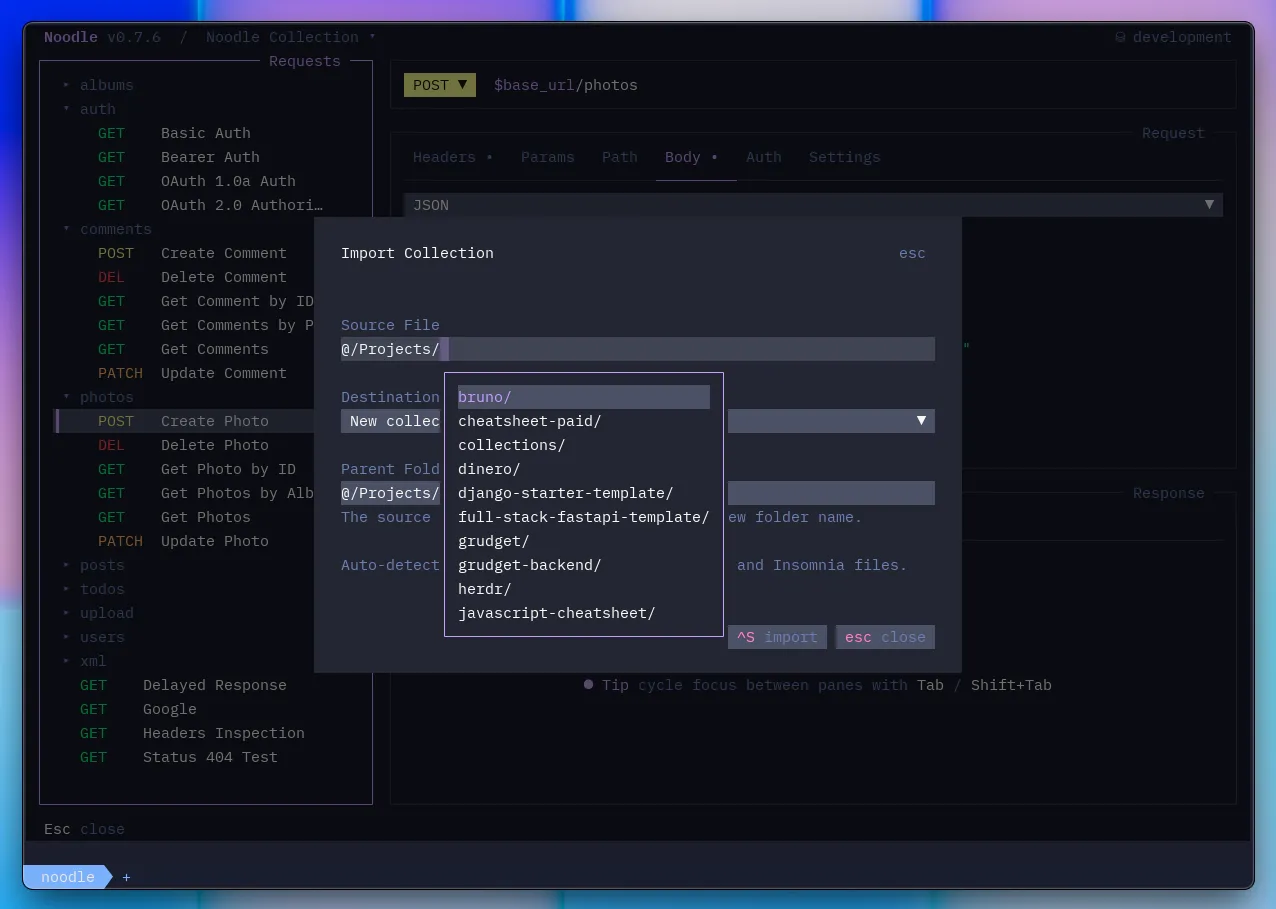
I wanted conversion to support the repository-first workflow rather than replace it. The result is still a directory of ordinary files that can be reviewed, edited, and committed after an import.
Large responses became easier to work through
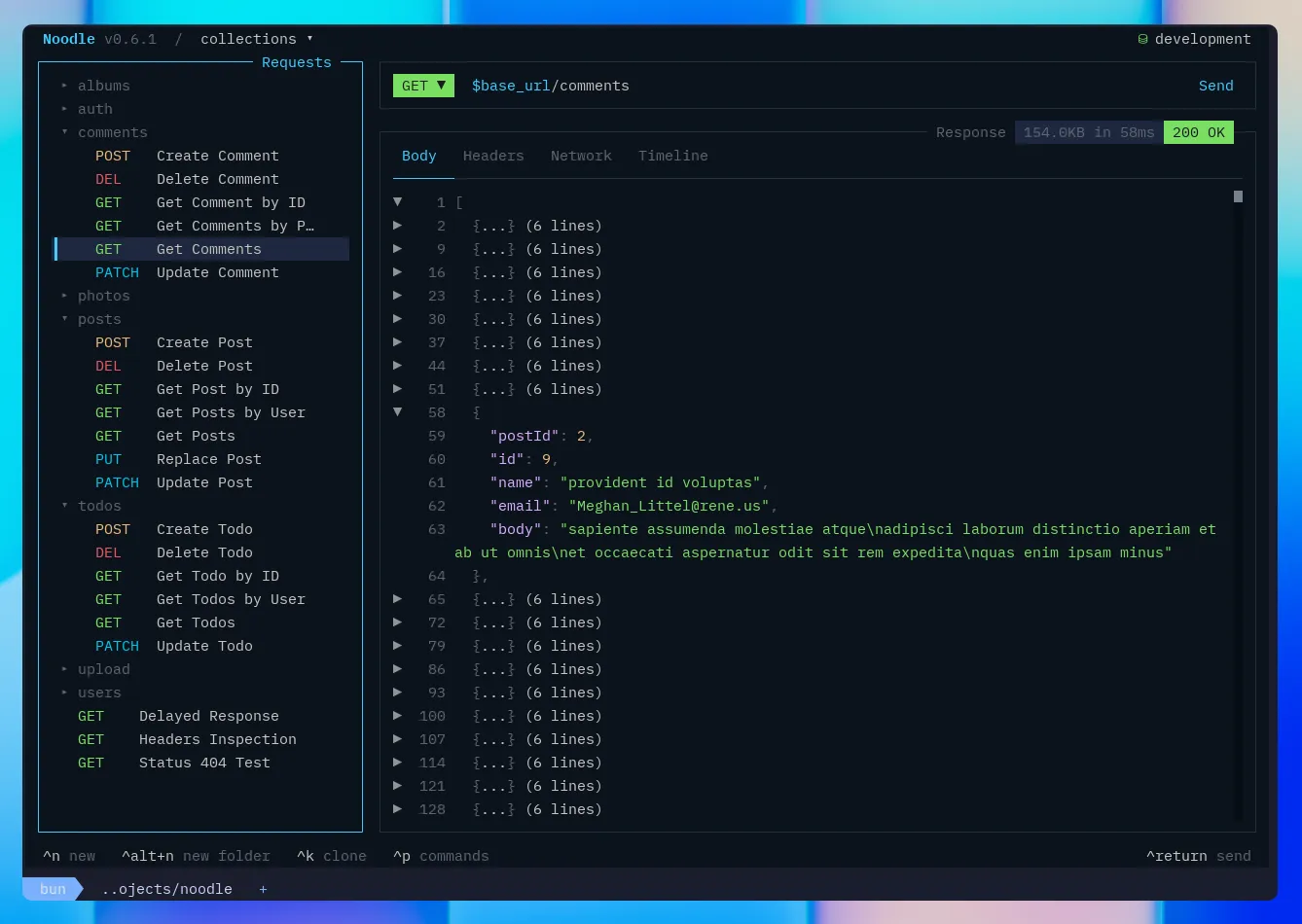
Responses now use the same code editor foundation as request bodies. Large JSON documents can be folded, scrolled, selected, and copied while keeping their original source line numbers. Validation errors in request JSON point back to the actual line and column, including errors introduced through an environment value.
XML is now a first-class request body too. It has syntax highlighting, variable completion, sensible content-type defaults, timeline rendering, and support across cURL, OpenAPI, Swagger, Postman, and Insomnia conversion. Noodle does not try to rewrite the payload. After variable substitution, it sends the XML you wrote.
Settings became a real workspace
As Noodle gained more behavior, scattering it across flags and hand-edited configuration stopped being practical. Pressing F4 now opens one Settings workspace for appearance, keyboard shortcuts, registered collections, editor choice, and proxy behavior. Collection settings live alongside them for metadata, response-history retention, cookie policy, and TLS.
Proxy support now covers system settings, direct connections, and custom proxies, with collection-level overrides and bypass rules. A one-off --noproxy flag is still available when that is all you need.
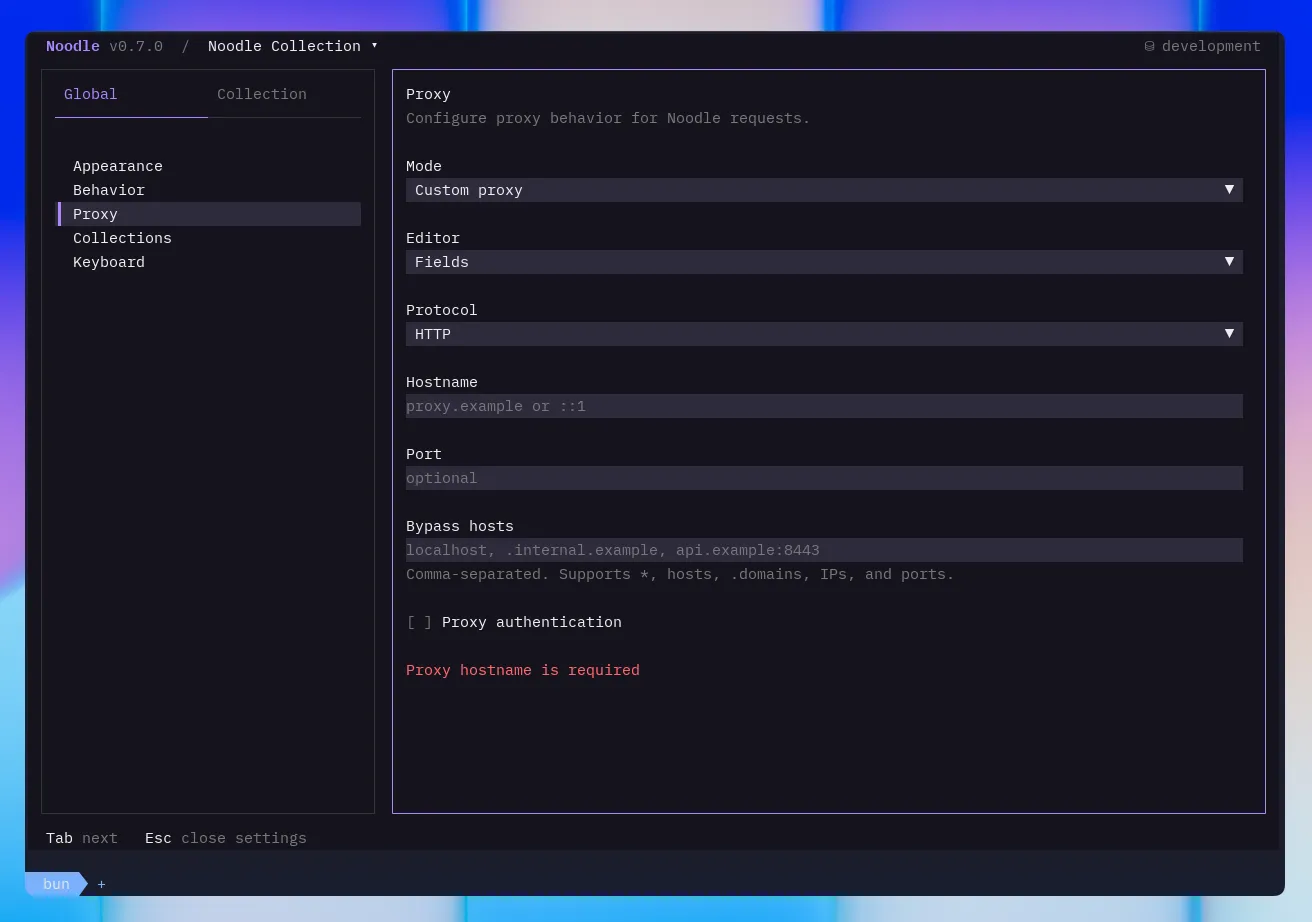
This was less about adding a settings screen and more about making configuration understandable. You can see which scope you are changing, and Noodle now rejects malformed settings instead of silently falling back to something else.
Credentials no longer need to live beside requests
Environment files can declare a value as secret while leaving its value blank on disk. Noodle resolves that value from the operating system credential vault or from the process environment, masks it in the editor, and redacts it from request history, search, generated code, and exports.
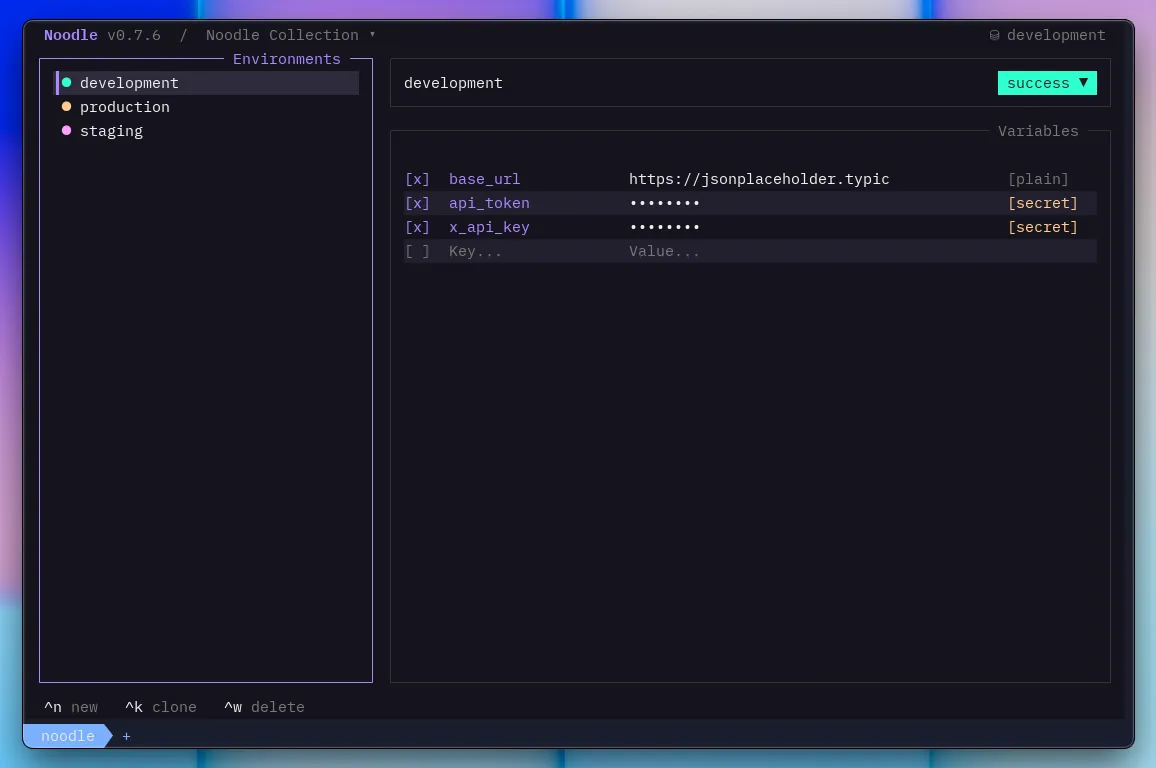
The same storage model is used for proxy credentials, OAuth tokens, and encrypted client-key passphrases. TLS settings now support custom certificate authorities, exact-host client certificates, and request-level verification overrides. Redirect handling also became stricter so credentials are not carried to a different origin, and HTTPS requests are not quietly downgraded to HTTP.
I did not want a file-based client to make secure values harder to manage. The useful configuration stays in the repository; the credentials do not.
Authentication covers more real APIs
Basic and bearer authentication are enough for many APIs, but not for all of the ones people actually have to use at work.
Noodle now supports NTLMv2, AWS Signature Version 4, OAuth 1.0a, and OAuth 2.0 on requests and folder overrides. AWS signing handles text, JSON, URL-encoded, and binary bodies. OAuth 2.0 covers authorization code, client credentials, implicit, and password grants, including PKCE, refresh tokens, client assertions, and interactive browser authorization from the TUI.
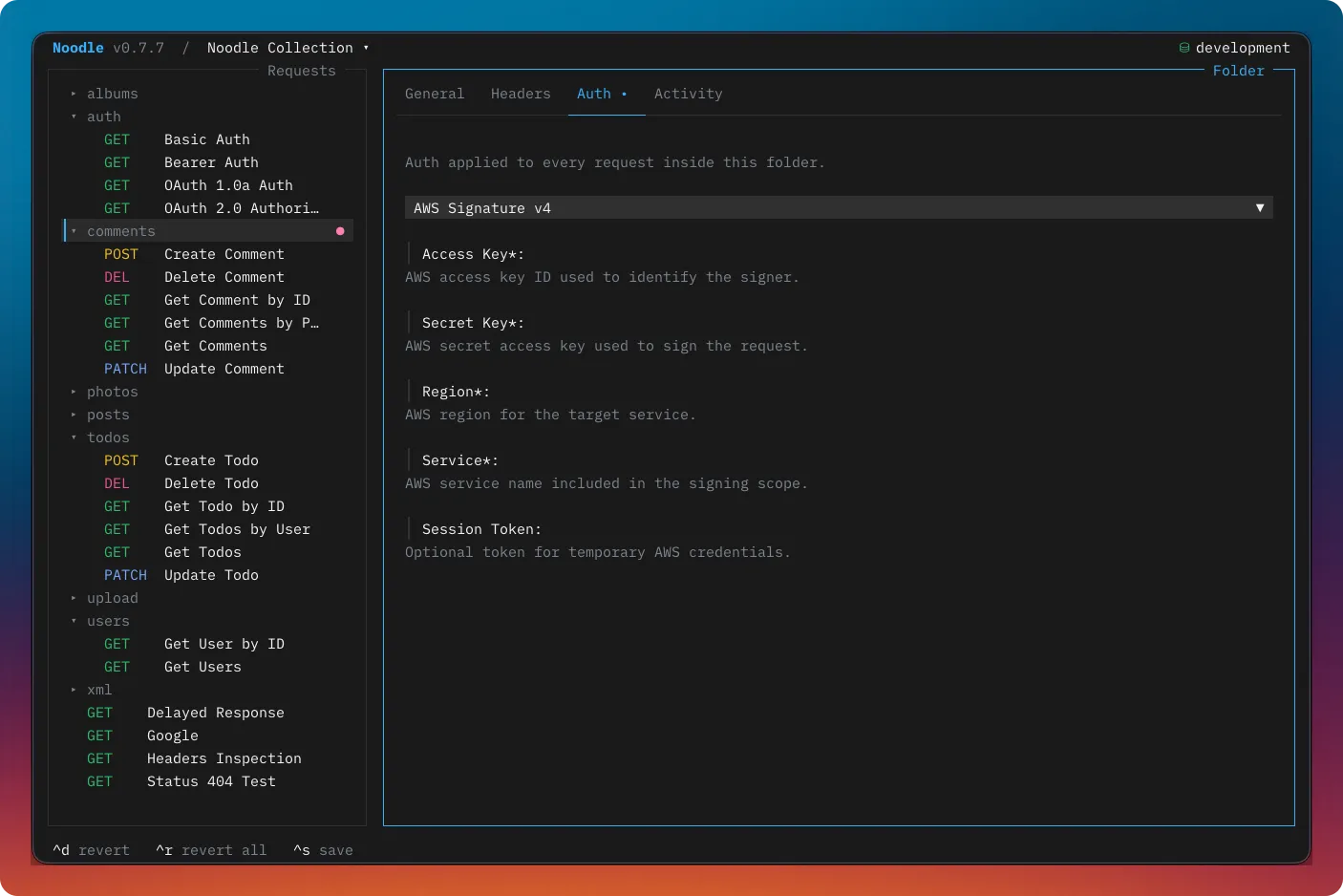
The important part is where the generated state goes. OAuth tokens, authorization codes, PKCE verifiers, and generated signatures are kept out of request YAML. Imports preserve the supported configuration, exports omit runtime credentials, and response history masks sensitive request material.
There are many details behind these flows, but the interaction remains familiar: configure authentication on a request or folder, keep secrets in environment variables, and send the request from the same workspace.
Cookies belong to the collection
Noodle now keeps one cookie jar per collection. It captures cookies from responses, sends matching cookies on later requests and redirect hops, and lets an explicit Cookie header win when you need precise control.
The response pane shows what was sent and received, while the Cookies workspace handles inspection, filtering, editing, and deletion. Cookie sending can be disabled for a whole collection or one request. A per-request opt-out still captures the response, which is useful when you want to observe a login flow without reusing the current session.
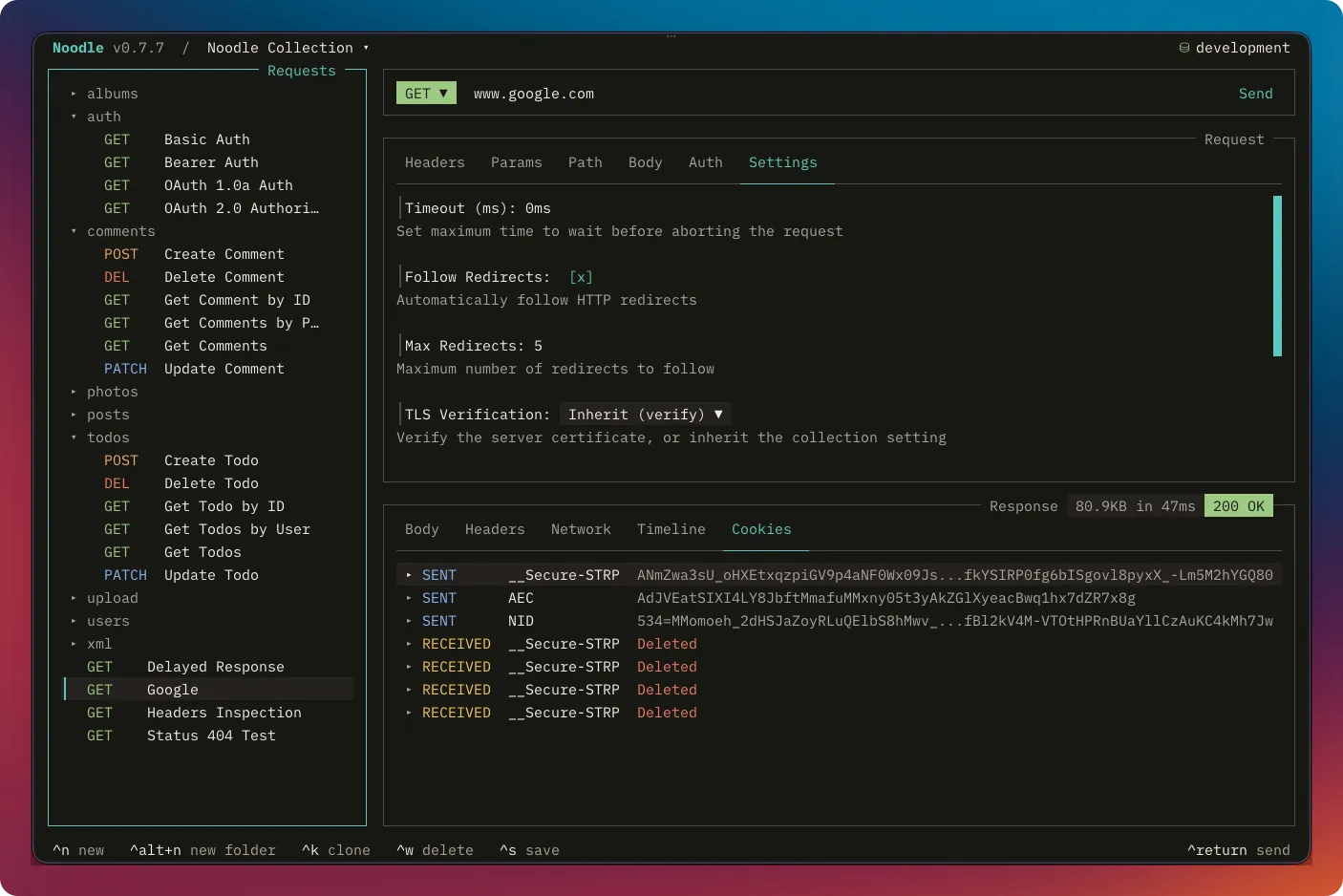
Cookie jars use an encryption key from the operating system vault when it is available. If storage becomes unreadable, Noodle reports the problem and preserves the file until you explicitly reset it rather than treating lost state as an empty jar.
Broken files are repairable files
A collection should not become unusable because one request file has invalid YAML. Noodle now opens those collections in a repair workspace where each broken request or folder file can be edited, validated, saved, or deleted before reloading the collection.
Uninitialized and empty directories also have clearer paths forward, and the command palette can open the active collection or Noodle configuration in a detected external editor. These are not dramatic features, but they make the difference between recovering in place and stopping to clean up files elsewhere.
Updates have become part of that calmer maintenance loop too. Standalone and Homebrew installs can update from Noodle, with checksum verification for downloaded binaries and visible status in the TUI.
The same workflow now extends to coding agents
Noodle has had automation commands for creating, inspecting, formatting, auditing, and running collections. In 0.7.6, the next step was to package the knowledge needed to use them well.
noodle agent install now installs the bundled noodle-use skill for Claude, Cursor, Codex, or OpenCode without downloading it from the network. Managed installations stay synchronized when Noodle updates. The skill teaches an agent the same supported CLI, YAML, environment, security, import, and export workflows described in the documentation.
This is not a second collection format or a cloud service. It is a way for an agent to work with the files and commands that are already there, while following the same rules around secrets and generated state.
Still built around files
There is much more in Noodle 0.7.6 than there was in 0.5.6, but the original promise has not changed. Requests remain readable YAML. Environments remain understandable text files. Collections can live beside the code they exercise and move through the tools a team already uses.
The newer state, such as tokens, credentials, and cookie encryption keys, stays outside those files because it should. Everything else remains available to inspect, diff, and own.
If you want to try the current release, start with the installation guide. The import and export guides, authentication guide, and agent skill guide cover the larger additions. Feedback and issues are always welcome on GitHub.