Noodle 0.8.0 put response assertions beside each request. Version 0.8.1 let requests pass response values forward, and 0.8.2 turned tags into reusable suites. Noodle 0.8.3 brings those pieces into one keyboard-first TUI workflow: author the outcome, send the request, inspect the result, or run a selected part of the collection without switching tools.
Author the outcome beside the request
The request pane now has dedicated Assert and Capture tabs. Assertion rows combine a response expression, operator, and expected value. Capture rows combine a variable name, response expression, and persistence choice. Both use the same add, edit, delete, mouse, and per-row enable behavior as the familiar request fields.
Expression completion comes from the current response or the latest retained
timeline response. Start with status, response.time, headers, or body,
then narrow toward a field without memorizing the whole path.
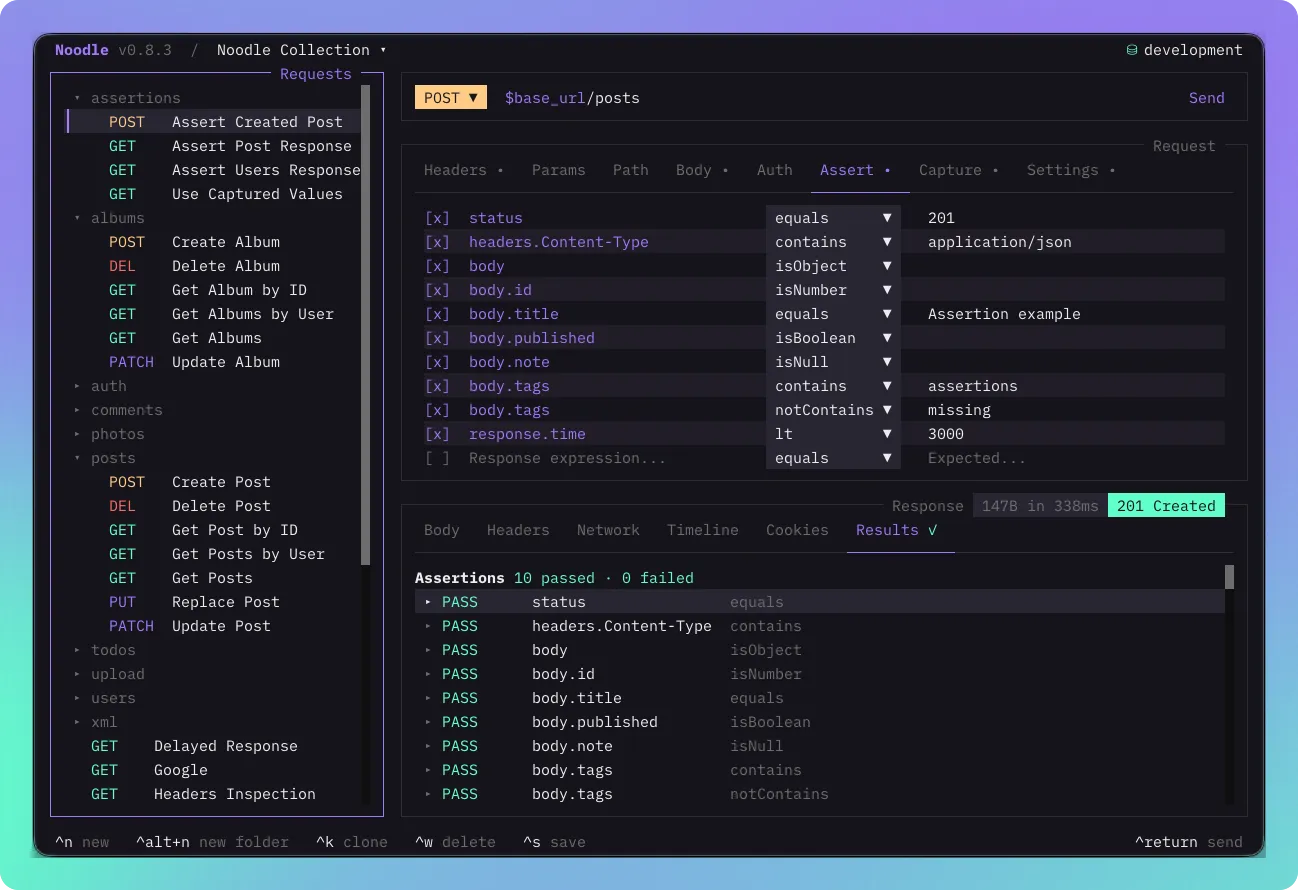
Tags stay in Settings. The editor suggests tags already used by the collection, supports direct deletion, and keeps inherited folder tags visible in request search.
See manual results immediately
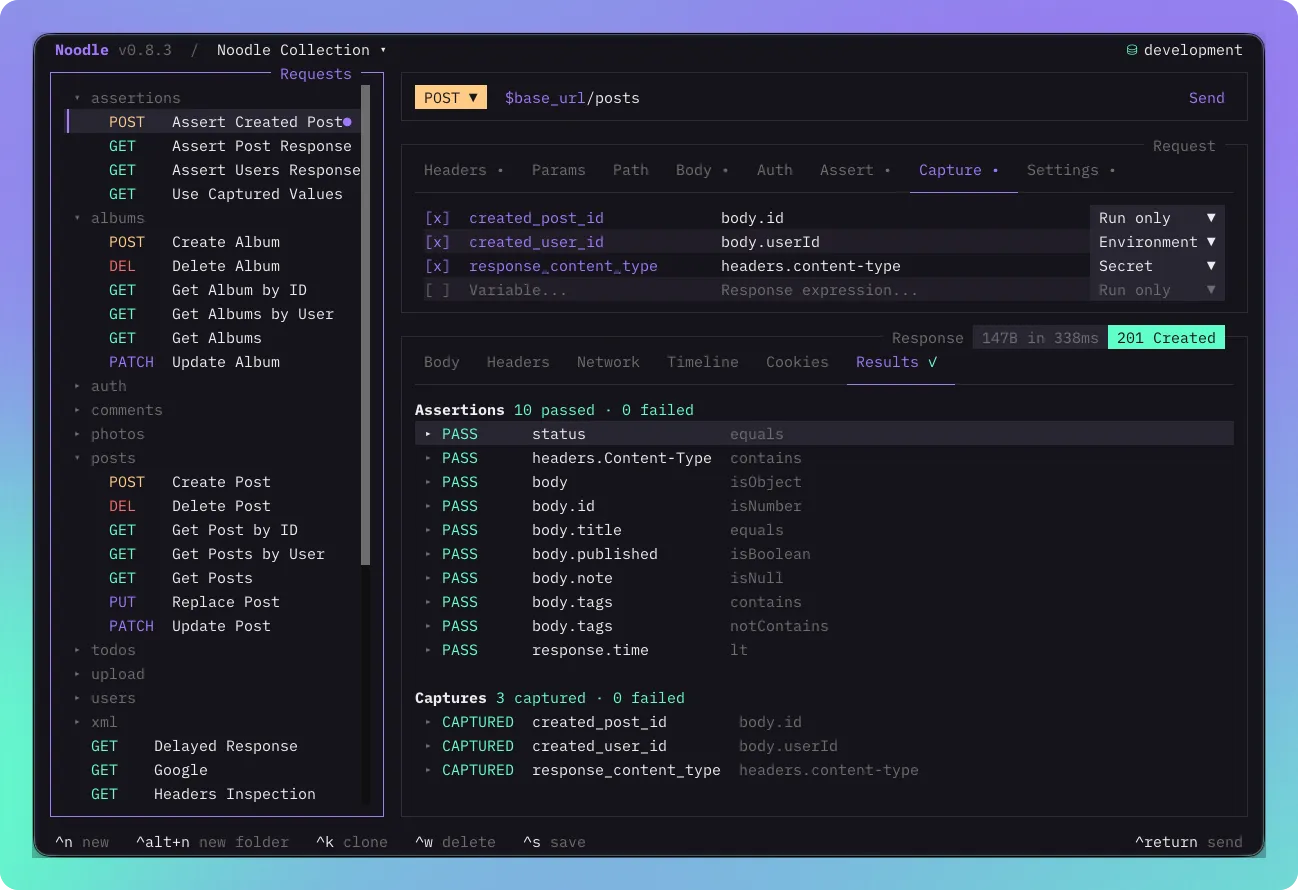
Every manual send evaluates enabled assertions and captures with a fresh RunScope. The Results tab is always the final response tab, and its symbol shows whether the latest outcomes passed, failed, or could not be evaluated. Open a row to inspect the expression, expected and actual values, or the captured type and value.
Captures can stay run-only or persist after an individual manual send or CLI
request run:
capture: user_id: value: body.id access_token: value: body.access_token persist: secret optional_trace: value: headers.x-trace enabled: falseVersion 0.8.3 uses this uniform object form for every capture. value is
required, while enabled and persist are optional. Secret captures use the OS
vault and are fully redacted from capture results. Plaintext persistence refuses
to replace an existing secret, and failed writes leave the HTTP response
available for inspection.
Run a collection without another runner file
Choose Run Collection from the command palette, or run a folder from its context menu. The transient Runner lets you select requests and folders, choose an environment, add Include and Exclude tags, and enable fail-fast. It shows progress during execution, then reuses the same expandable result rows for responses, assertions, and captures.
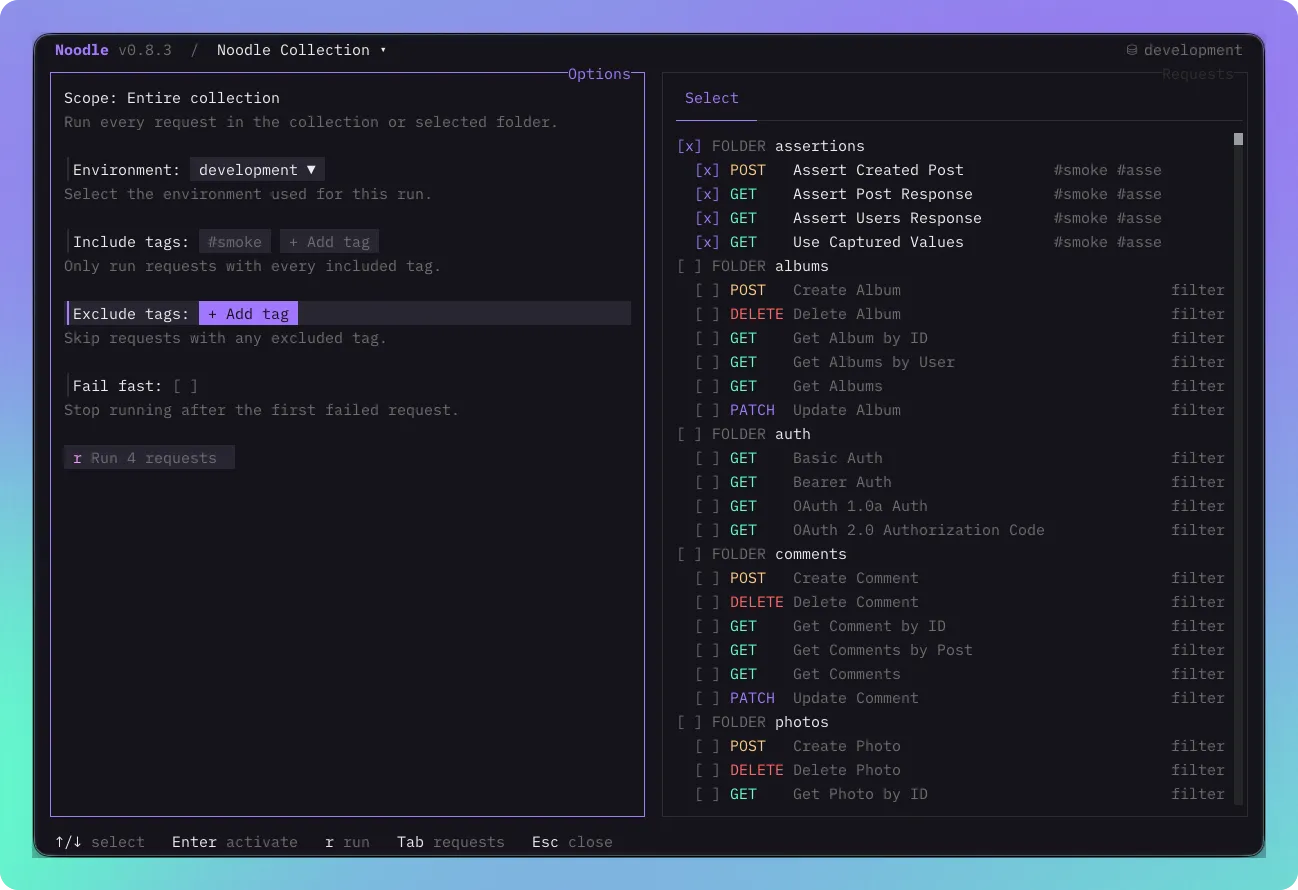
The Runner does not create a profile or duplicate request declarations. Its captures stay transient, its results remain in memory, and it follows collection order. Repeated Include tags use AND matching; repeated Exclude tags use OR matching, so the TUI and CLI now share the same suite rules.
Smaller edges, clearer feedback
Response expressions now match header names case-insensitively and complete from retained timeline data. Request changes no longer leave a stale response on screen. Long Select menus and new-request folder lists scroll within a bounded area, overlays keep keyboard priority, and collection runs apply folder overrides consistently.
See Using the Request Pane for authoring, Using the Response Pane for Results, and Automation for Runner and CLI execution rules.