When I wrote about Noodle 0.5.0, the focus was on making the file-based workflow more capable: finding requests, editing YAML and JSON comfortably, bringing in cURL commands, generating code, and running collections from scripts.
Since then, I have been working on a different part of the experience. I wanted the everyday loop of changing a request, sending it, and understanding what happened to feel more direct. Noodle 0.5.6 is the result of that work.
The core idea has not changed. Requests are still readable YAML files that live in your repository. What has changed is how much easier they are to move through and work with in the terminal.
URL path parameters have a home
Many APIs use URLs such as /users/:userId or /comments/:commentId. Until now, those values were easy to lose among the URL, query parameters, and the request body.
Noodle now has a dedicated Path tab for them. Add a :name token to a URL and its required value appears in one focused place. It stays synchronized with the URL while you edit, and Noodle stores it as path_params in the request YAML. OpenAPI and Postman imports preserve supported path parameters too.
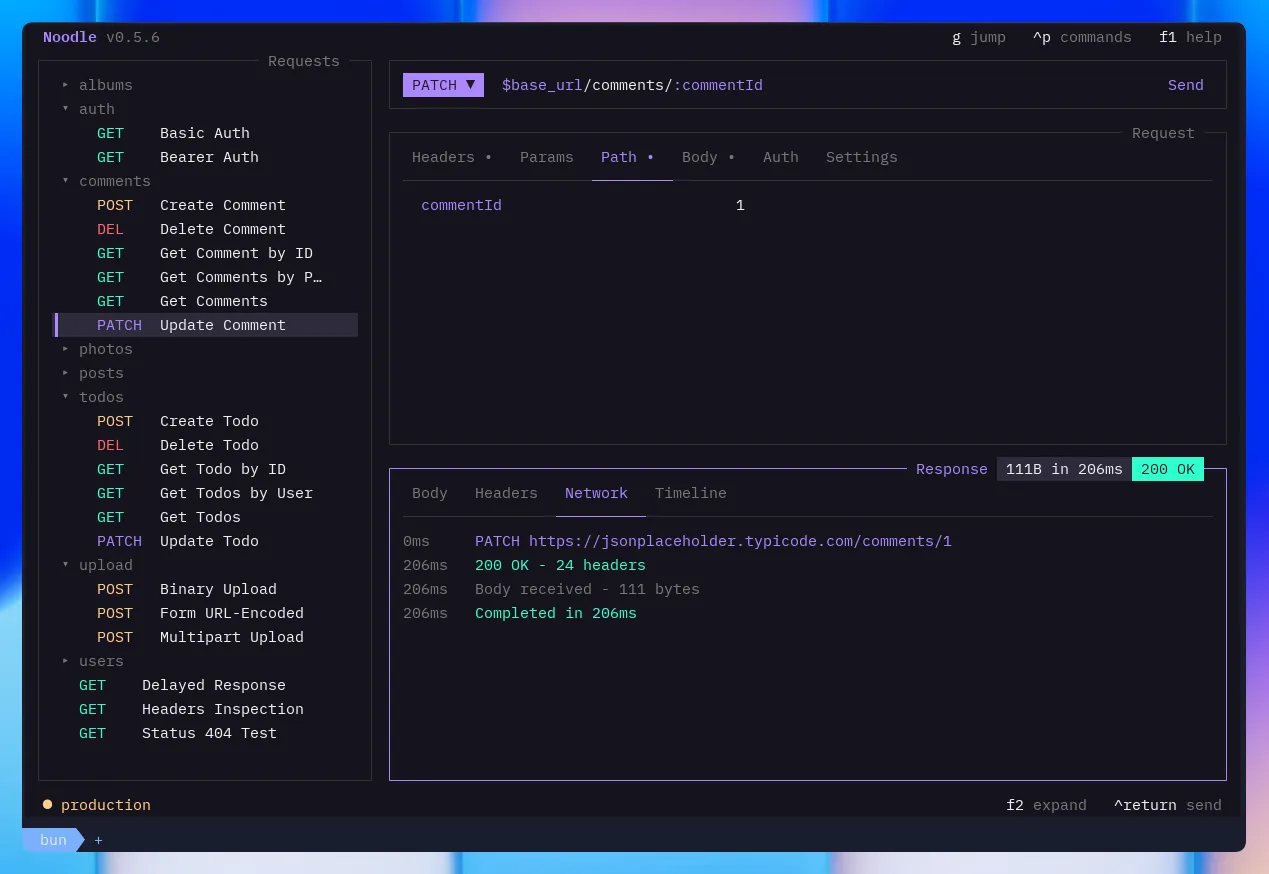
It is a small interface change, but it removes a surprising amount of friction when working through an endpoint with several parameters.
Still keyboard-first, no longer keyboard-only
I built Noodle around the keyboard because that is how I spend most of my time in the terminal. That remains true, but I did not want using a mouse to feel like an afterthought.
Mouse support now works throughout the TUI. You can focus panes, change tabs, edit fields, work with forms and overlays, scroll long content, click the Send control, and use context menus in the sidebar. The keyboard shortcuts are still there, and the two input styles work together instead of competing.
For keyboard navigation, jump mode has also grown. Press g to reveal letter hints and move directly to a request, response, folder, or environment target without tabbing through every pane.
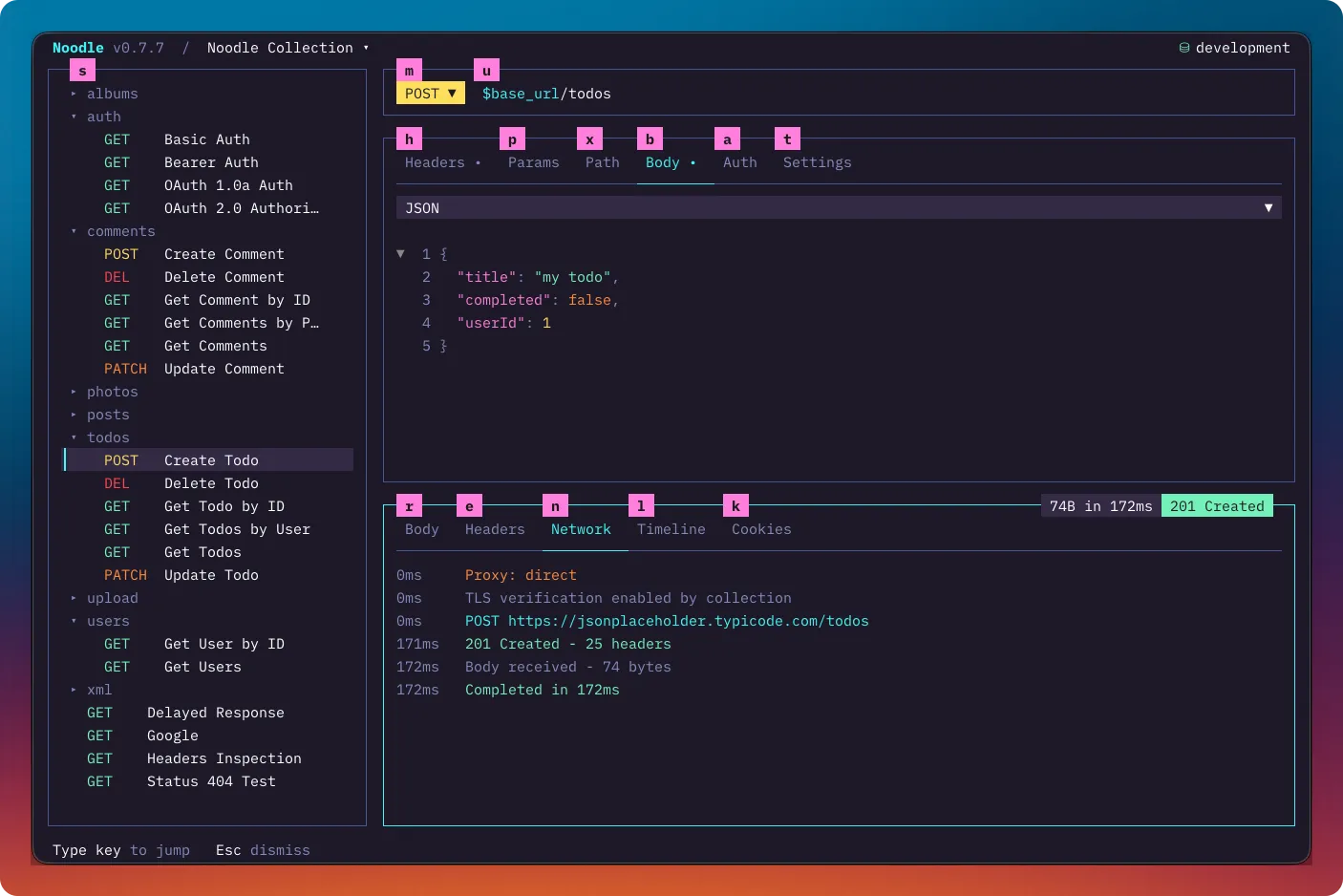
Better visibility into each request
Sending a request is only useful if the result is easy to understand. The new Network tab shows activity as it happens: redirects, response headers, body arrival, and failures. The trace is saved with response history, so I can revisit what happened after moving on to another request.
The timeline has also become more useful for real-world responses. Large request and response bodies are kept in compressed sidecars, so the history can retain the complete exchange rather than only a truncated snapshot. You can inspect, copy, or save those bodies from the detail view when you need them.
A calmer, clearer interface
Most of this release was not one large feature. It was hundreds of small decisions about contrast, spacing, focus, hover states, layouts, narrow terminals, and how controls behave while editing.
The result is a TUI that feels more deliberate than it did at 0.5.0. Built-in themes have better contrast, active controls are easier to read, and request and response layouts stay usable when the terminal is tight. There is also a clickable Send control in the URL bar, scrollable tab strips, and safer handling for unsaved drafts.
Keeping installations current
Noodle now checks for updates in the background and lets standalone installs update with:
noodle updateThe updater verifies the downloaded binary before replacing it. Homebrew installations use brew upgrade noodle instead.
Still built around files
Noodle is growing, but I am trying to keep the original promise intact. It should stay simple to open a collection, adjust a request, send it, inspect the result, and save the useful version back to a file you own.
If you have been using Noodle, thank you. Feedback has made a real difference in where I focus next. If you have not tried it yet, start with the installation guide or browse the documentation. Feedback and issues are always welcome on GitHub.